> For the complete documentation index, see [llms.txt](https://help.parta.io/llms.txt). Markdown versions of documentation pages are available by appending `.md` to page URLs; this page is available as [Markdown](https://help.parta.io/collaboration/set-comments/manage-a-comment.md).
# Manage a Comment
## Open a comment
### Open a Comment from the Feed
{% stepper %}
{% step %}
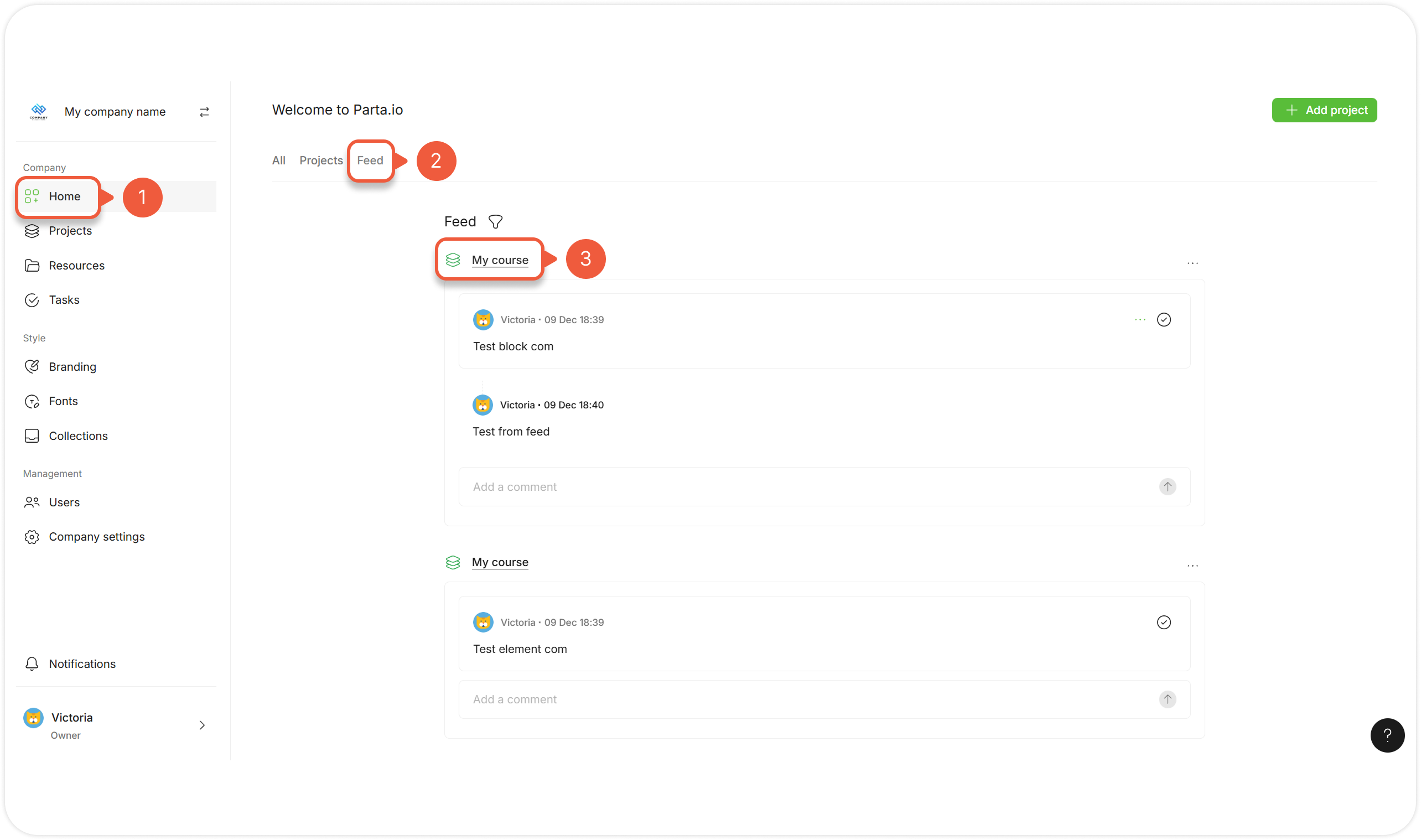
Go to the **Home** page.
{% endstep %}
{% step %}
Go to the **Feed** tab.
A list of comments and threads you are subscribed to will appear.
{% hint style="success" %}
You can also [unsubscribe](#unsubscribe-from-a-comment), [edit](#edit-a-comment), [delete](#delete-a-comment), [copy comment link](#copy-link-to-a-comment), [reply](#reply-to-a-comment) or [resolve](#resolve-a-comment-thread) a comment here.
{% endhint %}
{% endstep %}
{% step %}
Click on the Project name.
A preview mode window with the comment pop-up window will appear.
{% endstep %}
{% endstepper %}
### Open a Comment from the Comment Manager
{% stepper %}
{% step %}
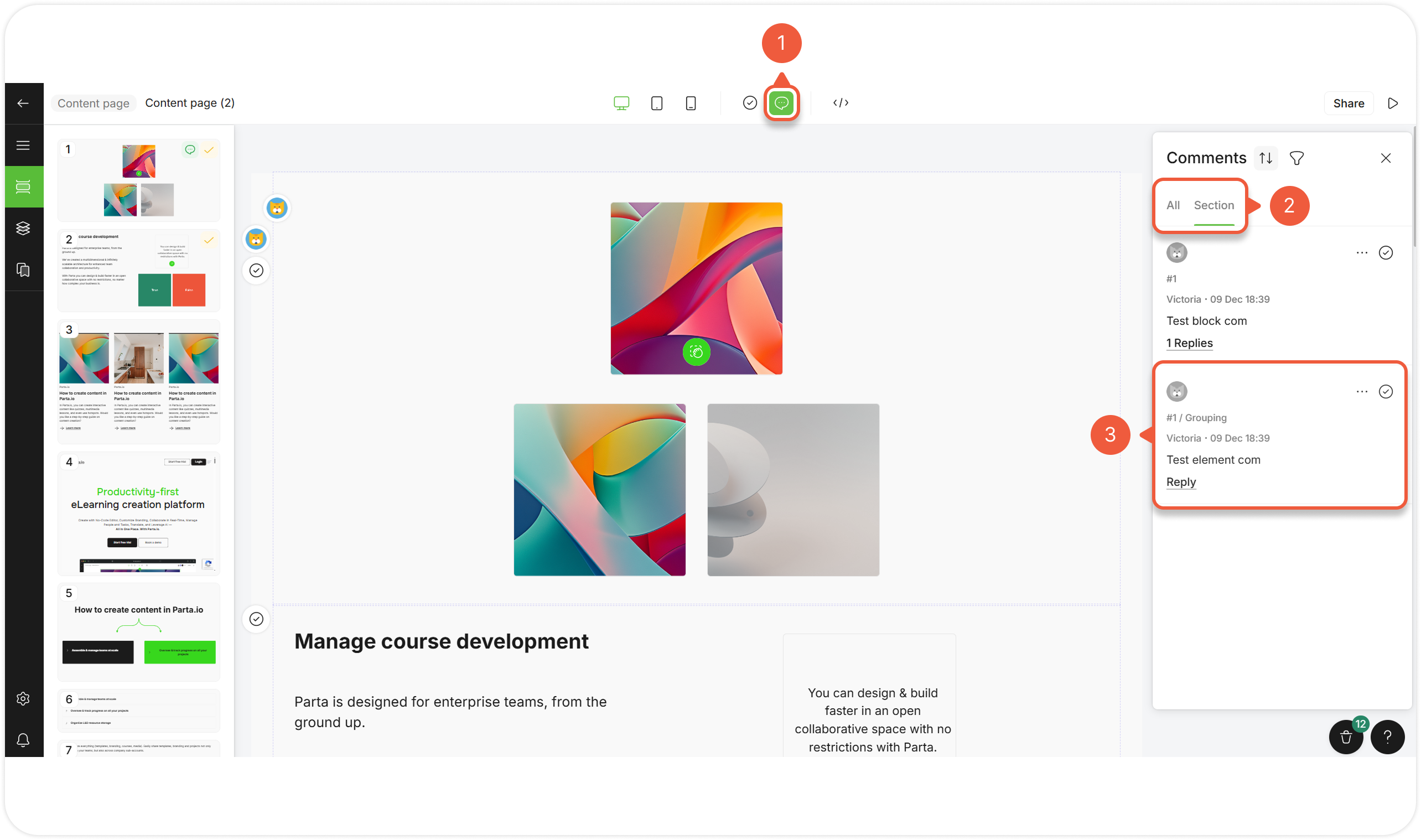
[Open an editor](/editor/work-in-the-editor.md) and click the comment icon in the header.
A comment manager pop-up window will appear.
{% endstep %}
{% step %}
Select **All** to see the list of all Project comments or **Section** to see the list of the section comments.
{% endstep %}
{% step %}
Click on the comment.
A comment pop-up window will appear.
{% endstep %}
{% endstepper %}
### Open a Comment in the Editor / Preview
{% stepper %}
{% step %}
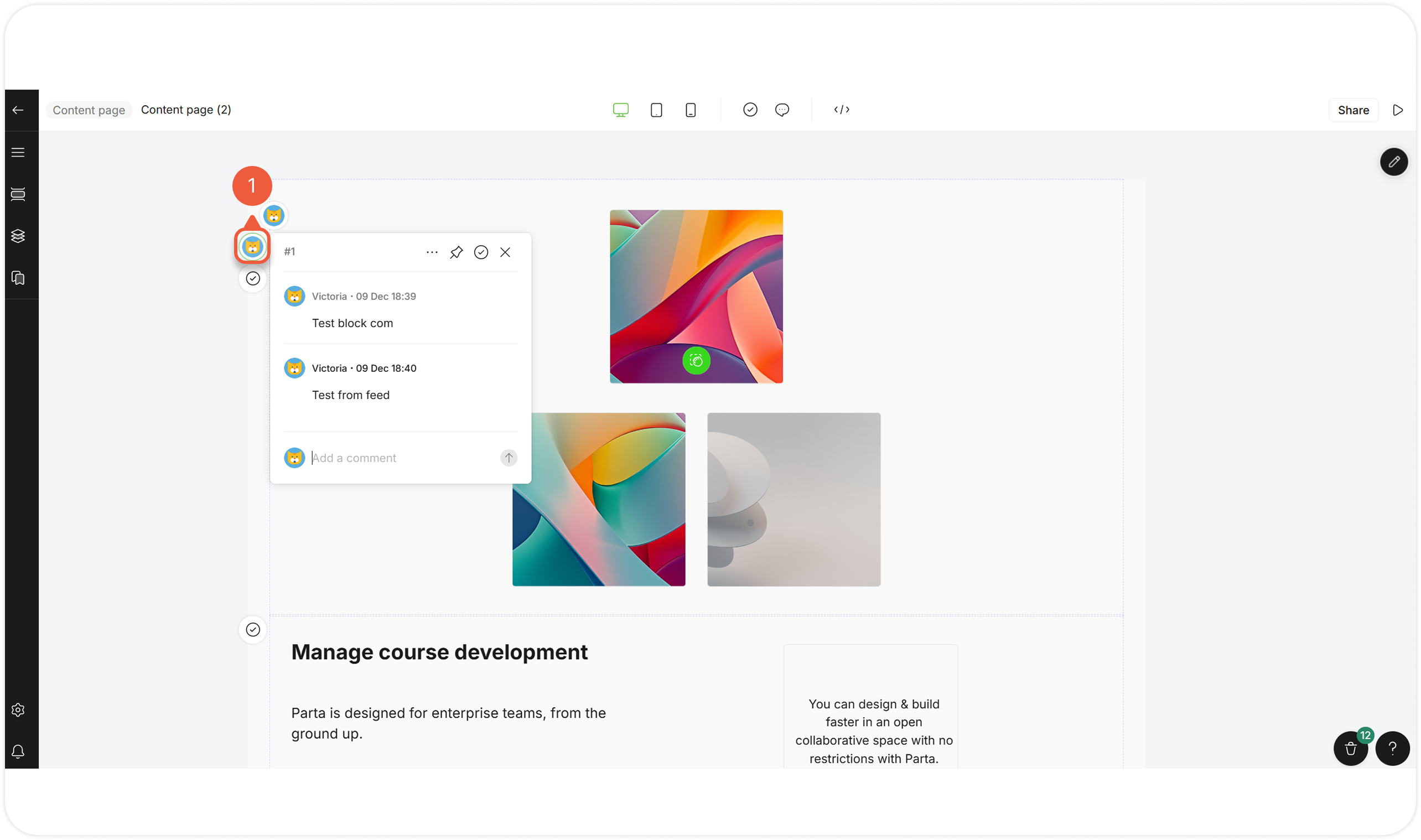
[Open an editor](/editor/work-in-the-editor.md) / [preview mode](/editor/work-in-the-editor.md#preview-a-course) and click the comment icon next to the block / element.
A comment pop-up window will appear.
{% endstep %}
{% endstepper %}
## Reply to a Comment
All [Project members](/project/set-projects/navigate-through-the-project-menu.md#id-8r41vwo0qajq) can participate in discussion.
{% stepper %}
{% step %}
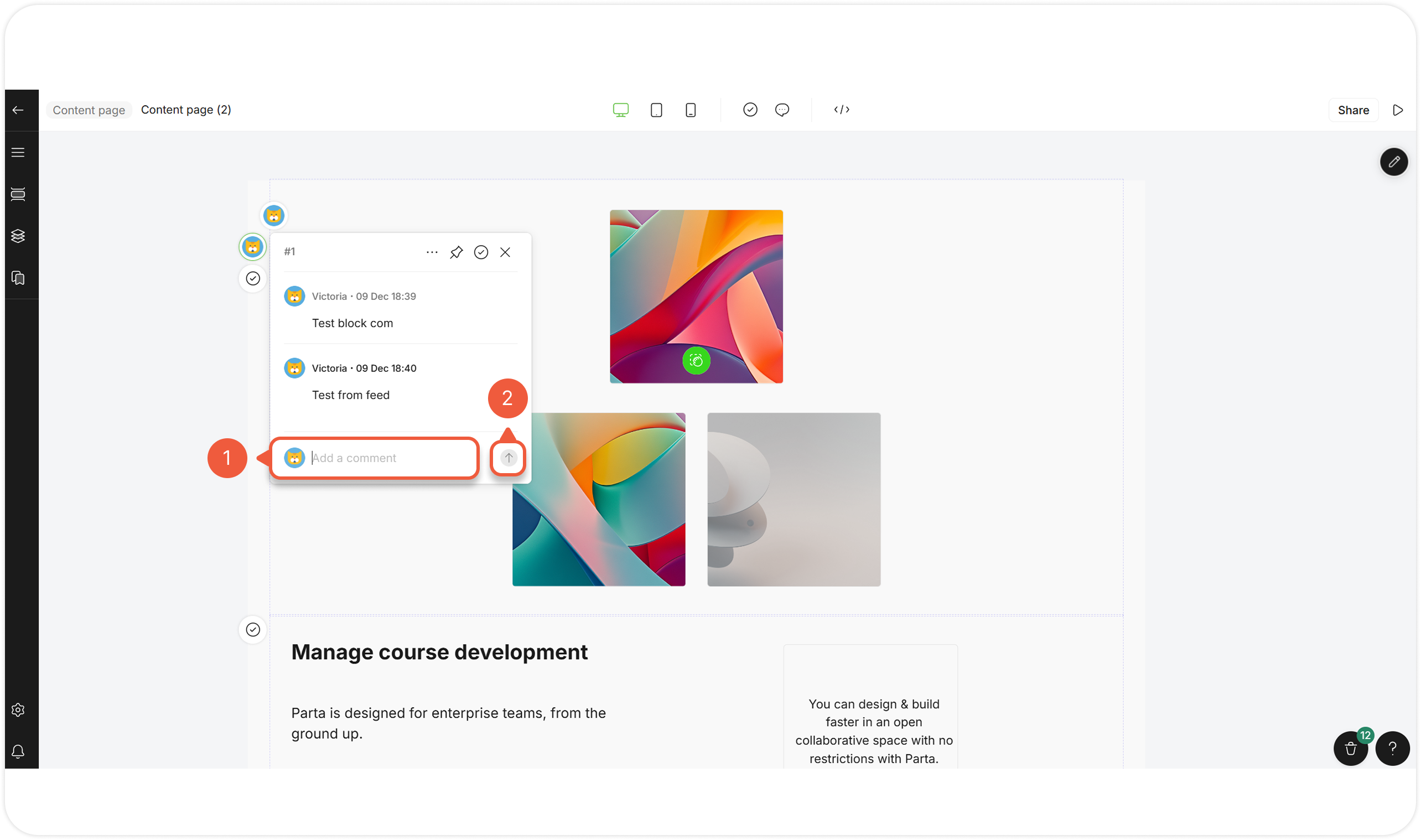
[Open a comment](#open-a-comment) and enter your reply in the field below the comment.
{% endstep %}
{% step %}
Click the **arrow** icon to send a reply.
{% endstep %}
{% endstepper %}
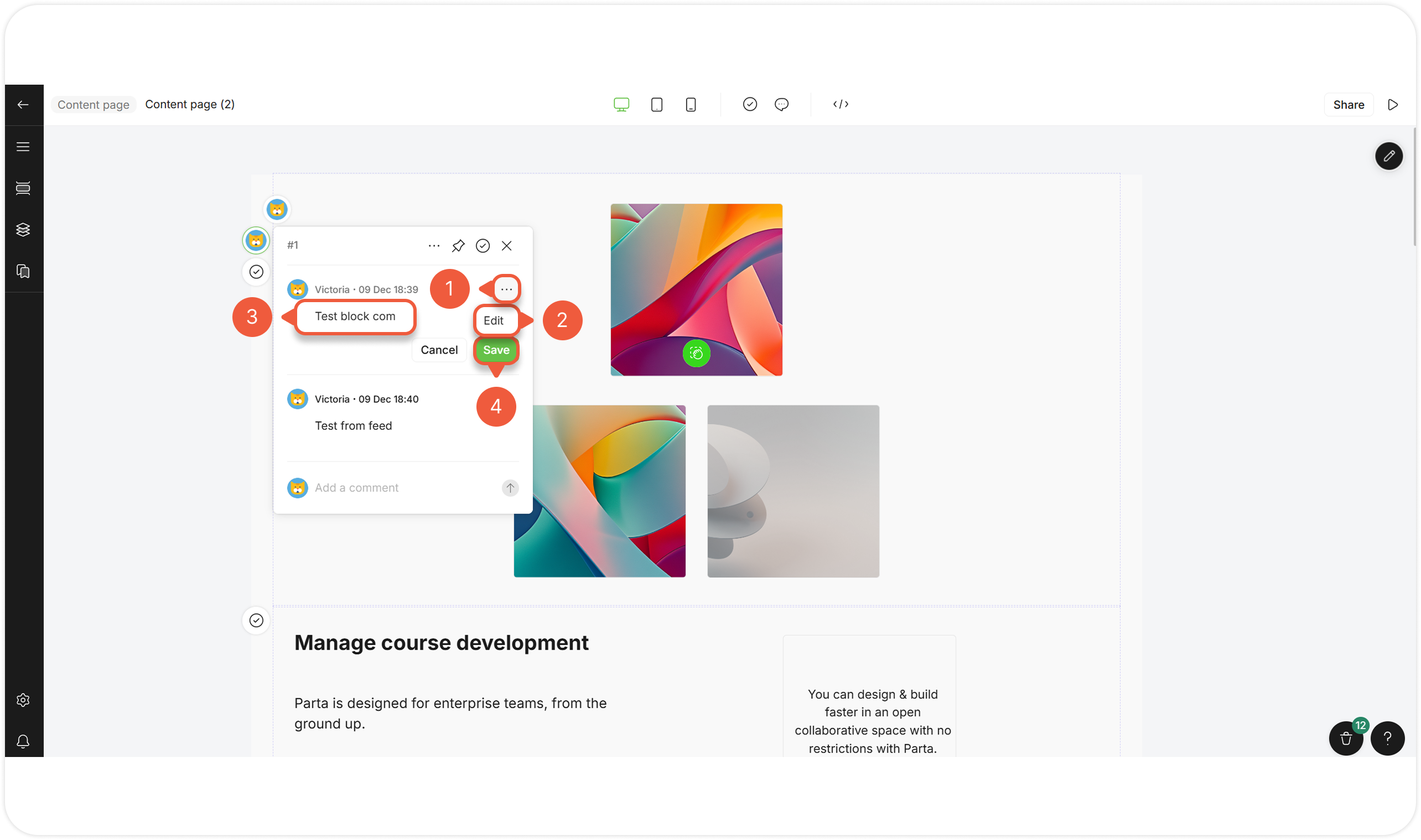
## Edit a Comment
{% stepper %}
{% step %}
[Open a comment](#open-a-comment), hover over it and click the **Settings** icon.
A pop-up window will appear.
{% endstep %}
{% step %}
Select **Edit**.
{% endstep %}
{% step %}
Edit a comment.
{% endstep %}
{% step %}
Click the **Save** button.
{% endstep %}
{% endstepper %}
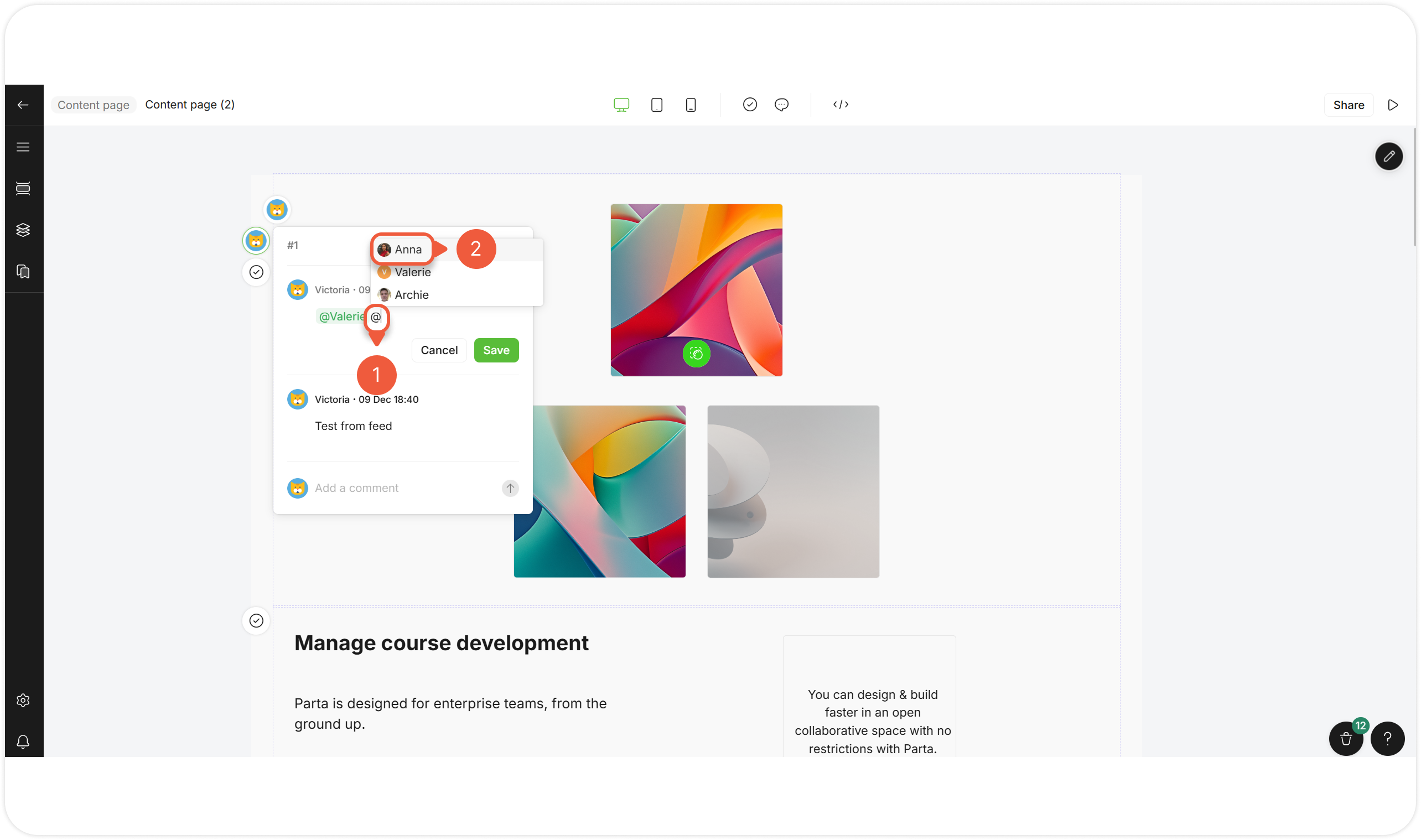
## Mention a User in a Comment
{% stepper %}
{% step %}
[Create](/collaboration/set-comments/create-a-comment.md) / [edit](#edit-a-comment) a comment and type **@**.
{% endstep %}
{% step %}
Select the member(s).
Mentioned users will receive a notification via email and in the notification center, and will automatically be [subscribed](#subscribe-to-a-comment) to any further discussion within this comment.
{% endstep %}
{% endstepper %}
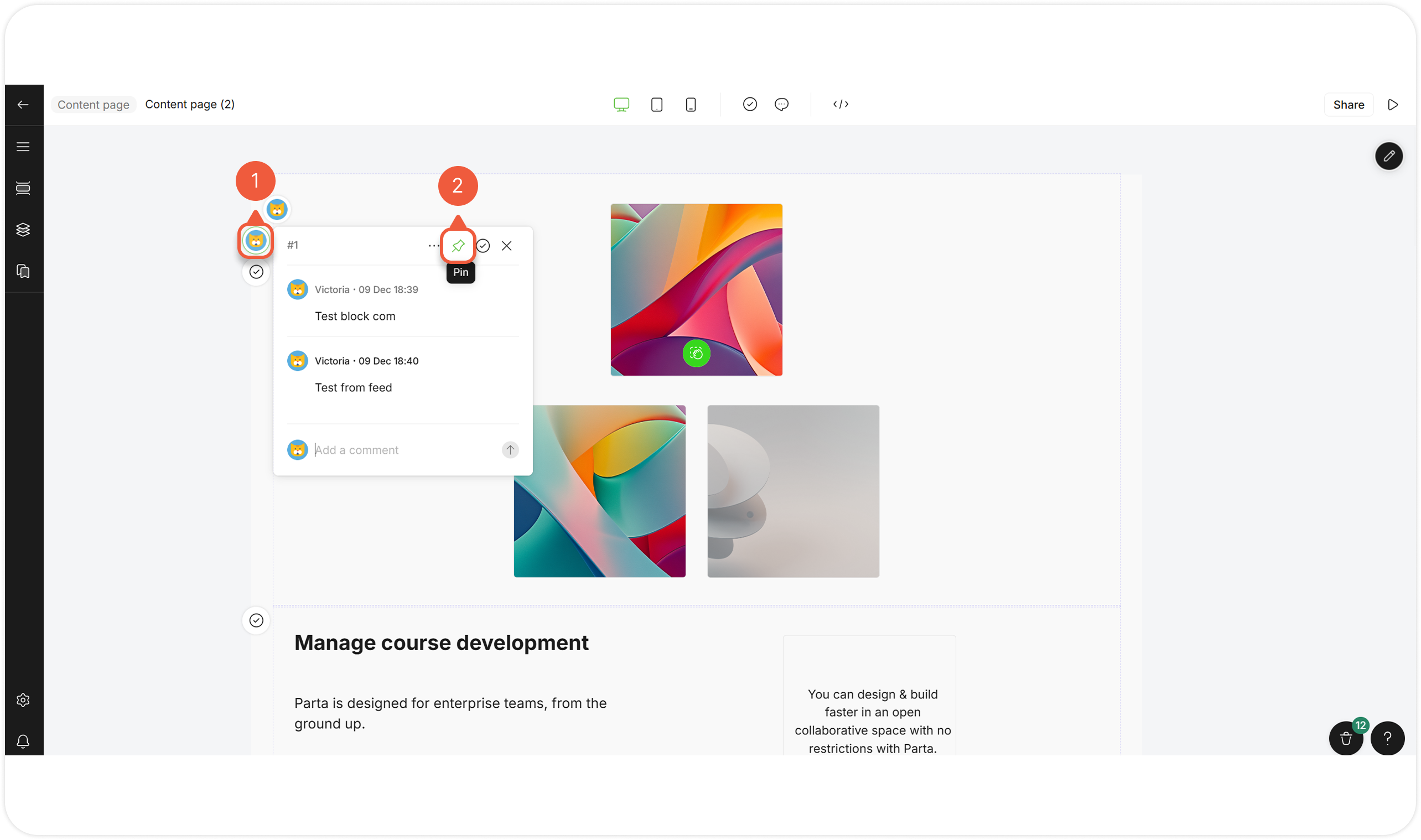
## Pin a Comment
{% stepper %}
{% step %}
[Open a comment](#open-a-comment-in-the-editor) in the editor / [preview mode](/editor/work-in-the-editor.md#preview-a-course).
{% endstep %}
{% step %}
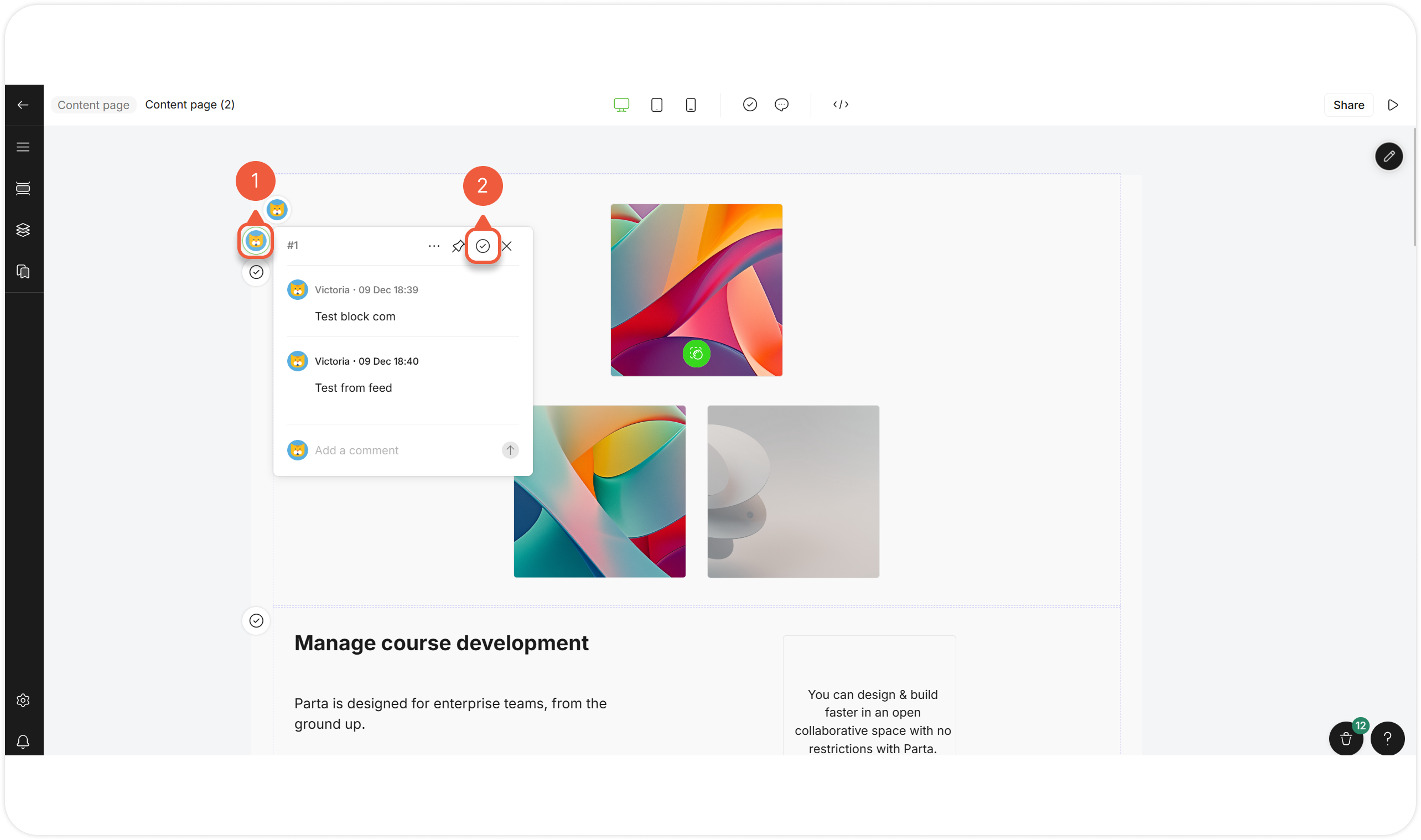
Click on the **Pin** icon.
The comment will be fixed on the left side of the screen.
{% endstep %}
{% endstepper %}
{% hint style="success" %}
You can **pin multiple comments**. The last one pinned will be on the top of the list.
{% endhint %}
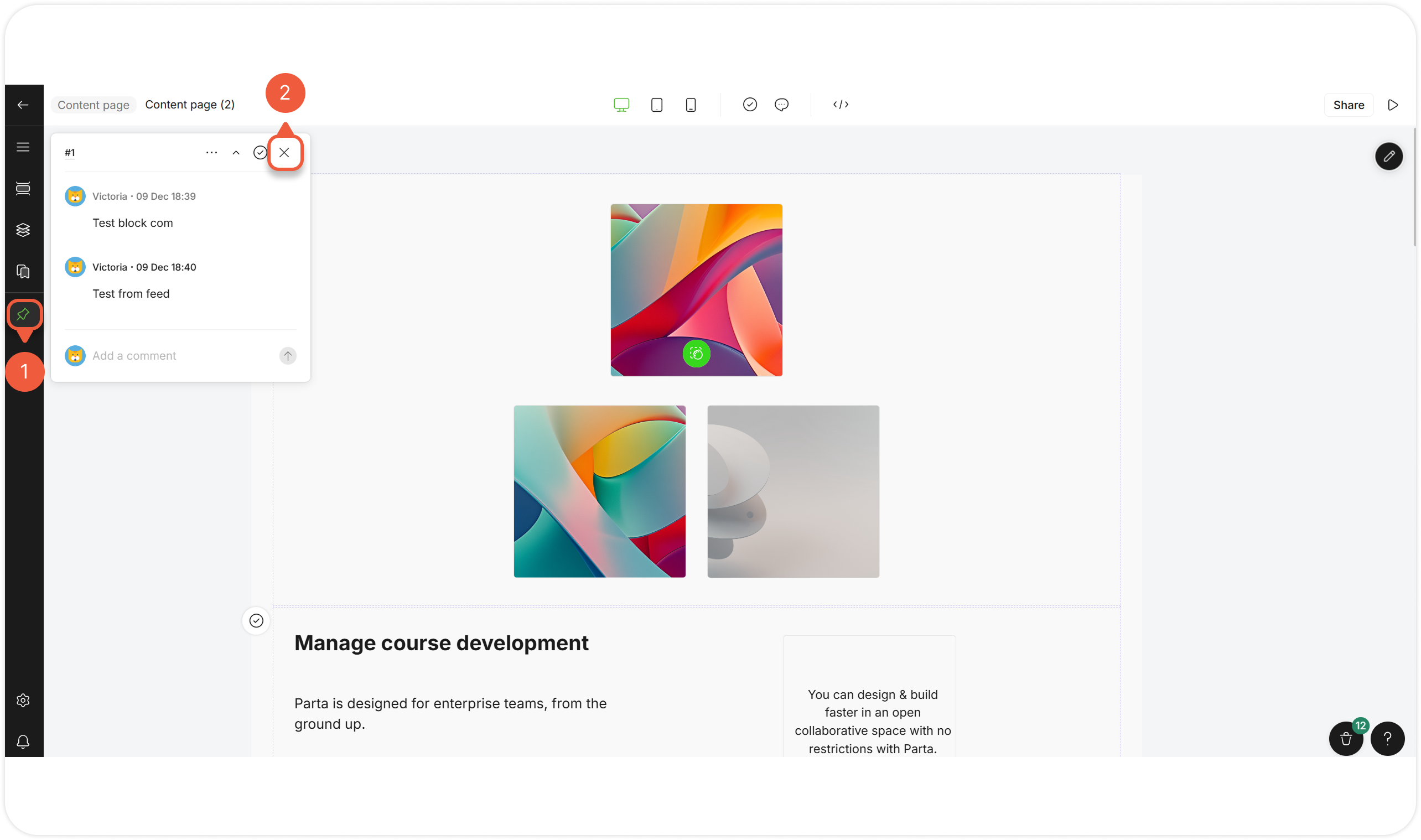
## Unpin a Comment
{% stepper %}
{% step %}
Go to the pinned comment [in the editor](/editor/work-in-the-editor.md#open-a-project-editor) / [preview mode](/editor/work-in-the-editor.md#preview-a-course).
{% endstep %}
{% step %}
Click on the **Unpin** icon
{% endstep %}
{% endstepper %}
## Resolve a Comment / Thread
{% stepper %}
{% step %}
[Open a comment](#open-a-comment).
{% endstep %}
{% step %}
Click the **Resolved** icon.
Once the comment that started the thread is resolved, comments to the thread will also be resolved.
{% endstep %}
{% endstepper %}
## Subscribe to a Comment
{% hint style="success" %}
Comment authors and [tagged users](#mention-a-user-in-a-comment) will be subscribed automatically.
{% endhint %}
{% stepper %}
{% step %}
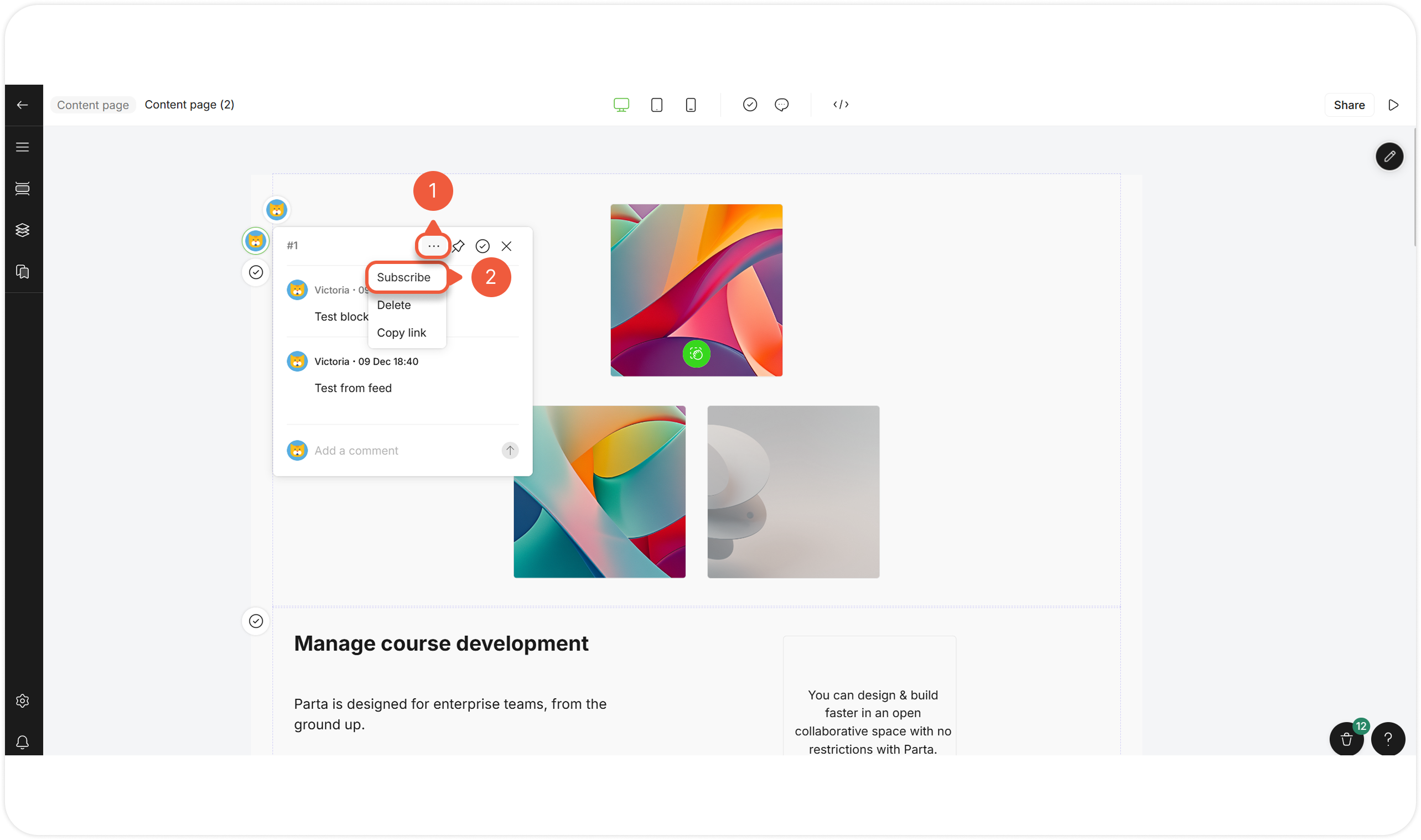
[Open a comment](#open-a-comment), hover over it and click the **Settings** icon.
A pop-up window will appear.
{% endstep %}
{% step %}
Select **Subscribe**.
{% endstep %}
{% endstepper %}
## Unsubscribe from a Comment
{% hint style="success" %}
Unsubscribe to stop receiving notifications about a comment.
{% endhint %}
{% stepper %}
{% step %}
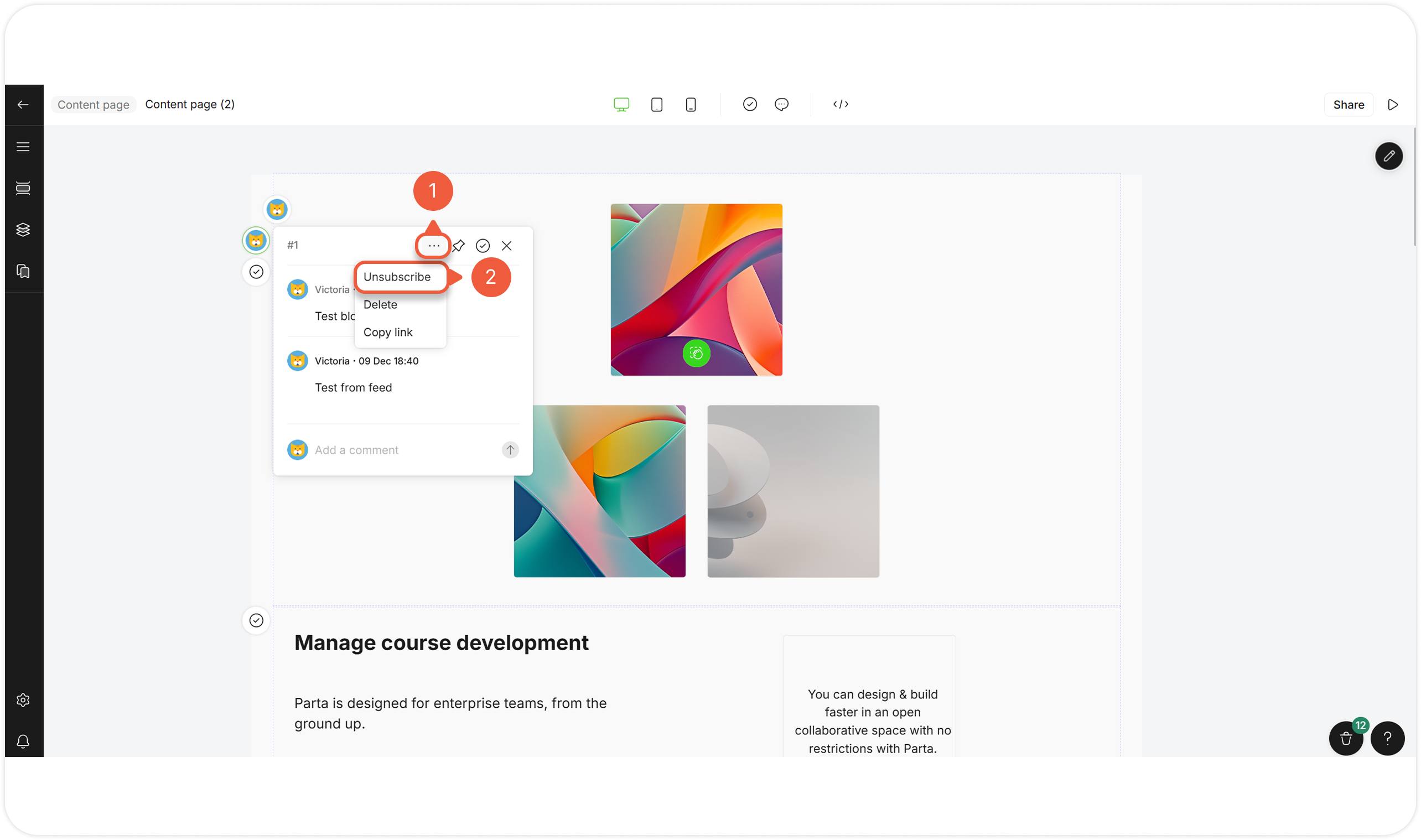
[Open a comment](#open-a-comment), hover over it and click the **Settings** icon.
A pop-up window will appear.
{% endstep %}
{% step %}
Select **Unsubscribe**.
{% endstep %}
{% endstepper %}
## Delete a Comment
{% stepper %}
{% step %}
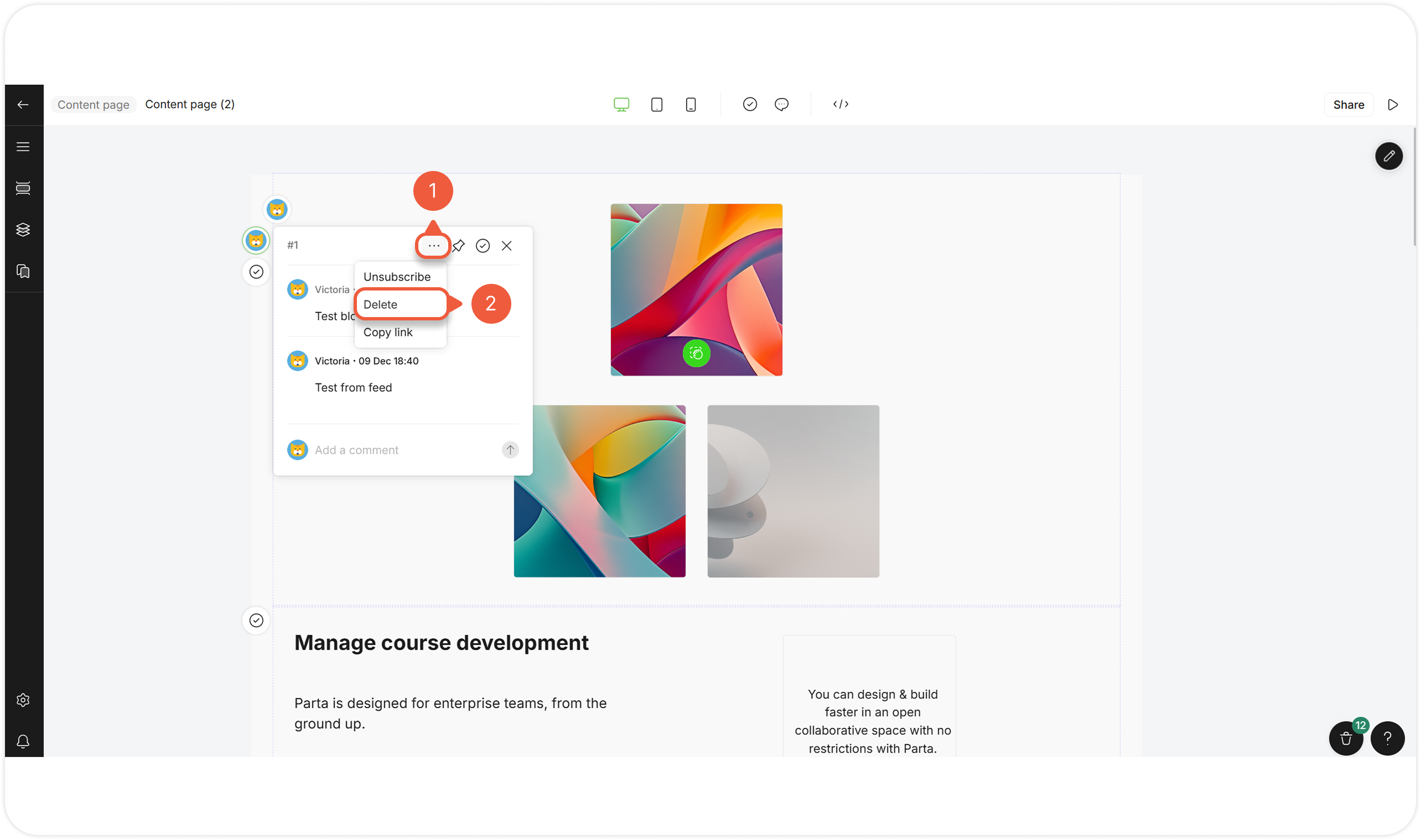
[Open a comment](#open-a-comment), hover over it and click the **Settings** icon.
A pop-up window will appear.
{% endstep %}
{% step %}
Select **Delete**.
{% endstep %}
{% endstepper %}
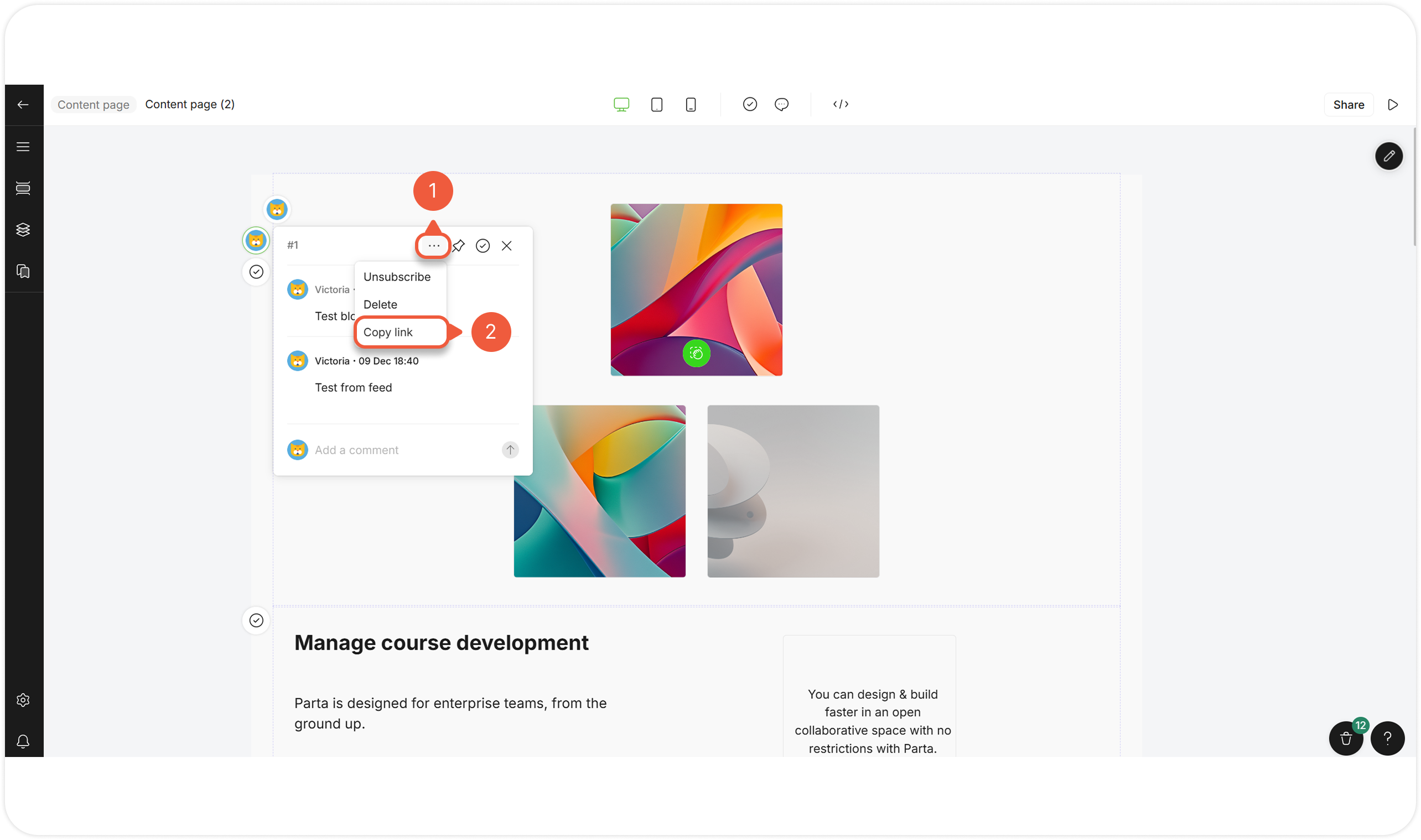
## Copy Link to a Comment
{% stepper %}
{% step %}
[Open a comment](#open-a-comment), hover over it and click the **Settings** icon.
A pop-up window will appear.
{% endstep %}
{% step %}
Select **Copy link**.
The copied link leads to the comment in preview mode.
{% endstep %}
{% endstepper %}