> For the complete documentation index, see [llms.txt](https://help.parta.io/llms.txt). Markdown versions of documentation pages are available by appending `.md` to page URLs; this page is available as [Markdown](https://help.parta.io/editor/edit-elements/set-interactive-elements/checkbox.md).
# Checkbox
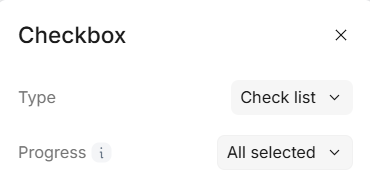
A checkbox element lets learners select one or more options from a list. It’s useful for self-assessment or task completion. You can also use it to control navigation by requiring a learner to confirm a step (like, "I have downloaded and reviewed the document") before moving on.
#### Double-click on an element to view its settings.
{% hint style="info" %}
A checklist can be used either as a traditional checklist or as a continue button that prevents scrolling until all items are completed.
{% endhint %}
### 1. Checklist
#### To add a new checklist item, click on + below last item in checklist
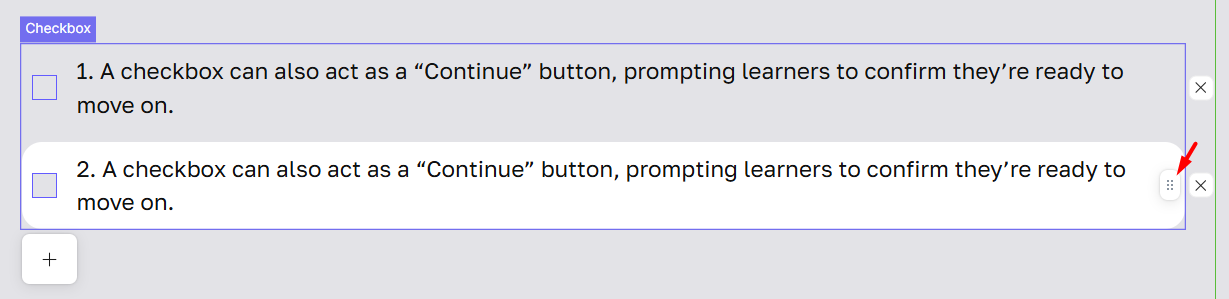
#### To rearrange items in your checklist, click and hold the drag-and-drop icon next to an item, then move it up or down to the desired position
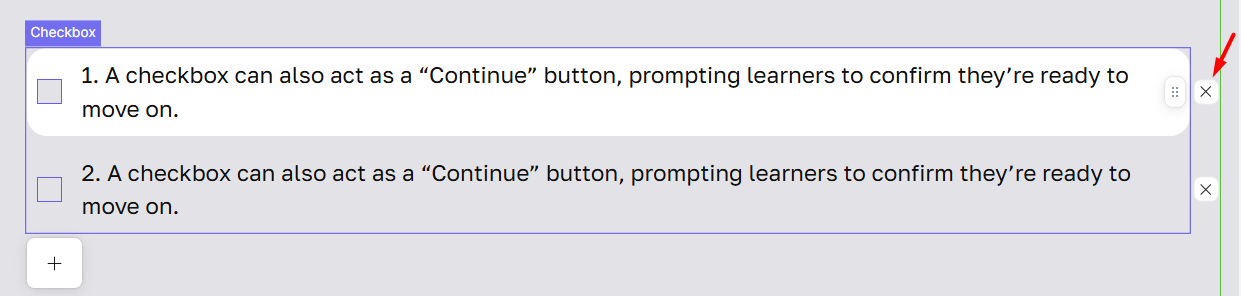
#### To delete items in your checklist, click and delete icon next to an item.
{% hint style="info" %}
You can set up the checklist so that checked items are not crossed out. This makes the checklist easier to read and more accessible.
{% endhint %}
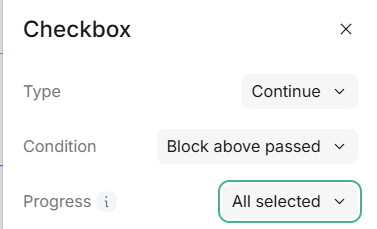
### 2. Continue
This table defines how checklist progression works based on user selection and block dependencies.
| | No | All blocks completed | Block above passed |
| --------------------------- | ------------------------------------------------------------------------------------------------------------------------------------------------------------------------------------------ | -------------------------------------------------------------------------------------------------------------------- | ----------------------------------------------------------------------------------------------- |
| **Any selected** | You only need to click at least one checkbox to move forward. Blocks above do not require interaction. This setting lets you progress freely without completing all previous blocks. | You must click at least one checkbox item in the block above to move forward + all previous blocks need interaction. | You only need to click at least one checkbox item in the block + interact with the block above. |
| **All selected** | You need to click all checkboxes in a block to move forward. Blocks above do not require interaction. This ensures at least one block with checkbox is fully completed before progressing. | You must click all checkboxes in the block to continue + full completion of all previous blocks is required. | You must click all checkboxes in the block to continue + interact with the block above. |
| | No | All blocks completed | Block above passed |
| --------------------------- | ------------------------------------------------------------------------------------------------------------------------------------------------------------------------------------------ | -------------------------------------------------------------------------------------------------------------------- | ----------------------------------------------------------------------------------------------- |
| **Any selected** | You only need to click at least one checkbox to move forward. Blocks above do not require interaction. This setting lets you progress freely without completing all previous blocks. | You must click at least one checkbox item in the block above to move forward + all previous blocks need interaction. | You only need to click at least one checkbox item in the block + interact with the block above. |
| **All selected** | You need to click all checkboxes in a block to move forward. Blocks above do not require interaction. This ensures at least one block with checkbox is fully completed before progressing. | You must click all checkboxes in the block to continue + full completion of all previous blocks is required. | You must click all checkboxes in the block to continue + interact with the block above. |