# File

An element that allows for uploading and downloading various files, such as images, documents, audio, or video, without restrictions on file format and size.

<figure><img src="https://3560131808-files.gitbook.io/~/files/v0/b/gitbook-x-prod.appspot.com/o/spaces%2FoKhlOpFC8JmF8TcxylWx%2Fuploads%2FkAf3qedQOIZZ0QDePcrL%2FScreenshot_2.png?alt=media&#x26;token=1af95db3-8c9a-487a-9208-08bc24a8e219" alt=""><figcaption></figcaption></figure>

#### Double-click on an element to view its settings.

<figure><img src="https://3560131808-files.gitbook.io/~/files/v0/b/gitbook-x-prod.appspot.com/o/spaces%2FoKhlOpFC8JmF8TcxylWx%2Fuploads%2FGJXxZiDx4urDtEgAaBaV%2FScreenshot_3.png?alt=media&#x26;token=90167290-6e18-4442-8430-d38910c88b1c" alt=""><figcaption></figcaption></figure>

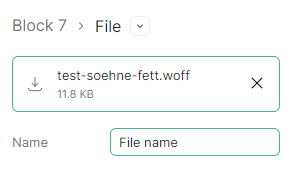
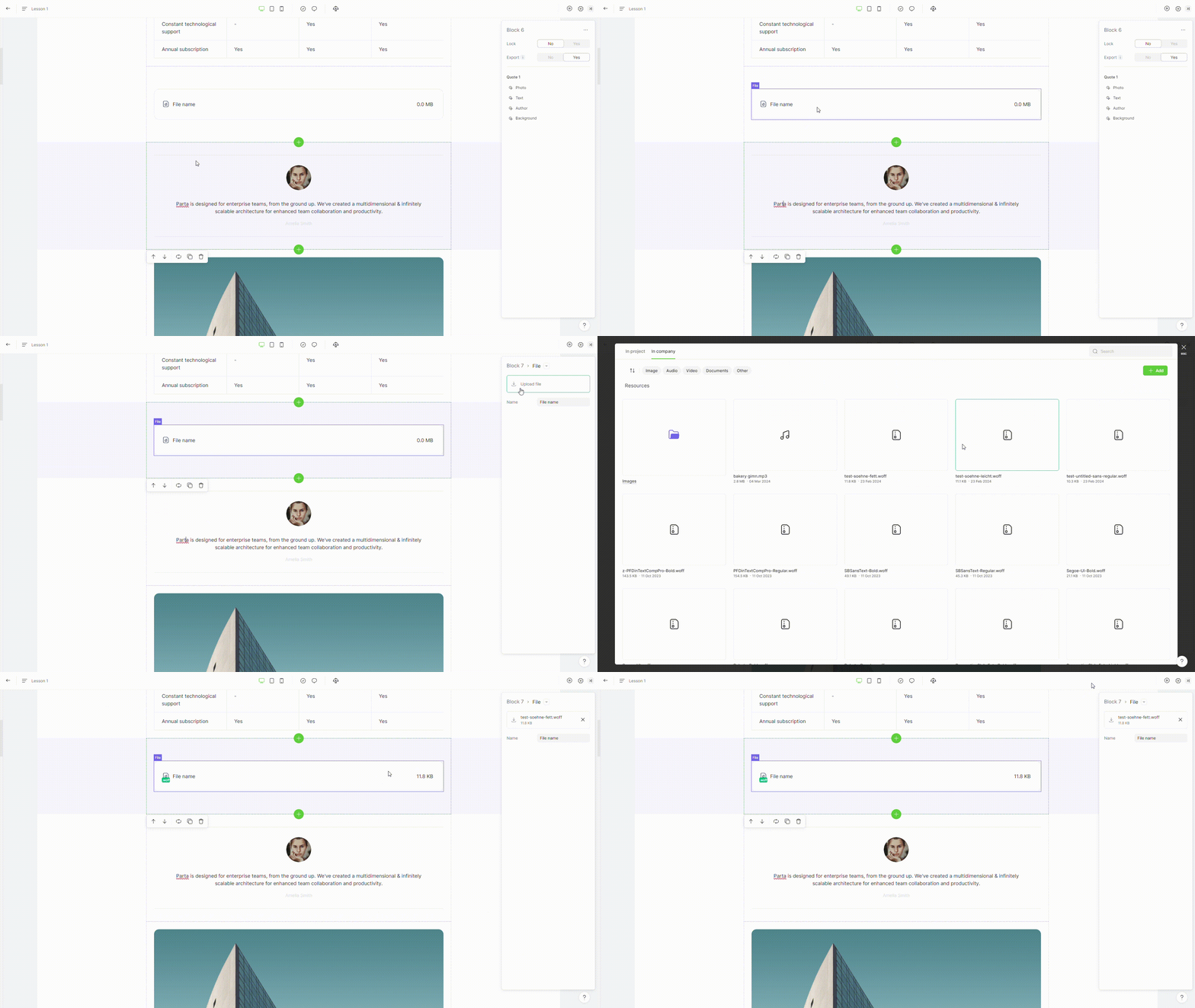
### 1. Attach file

To add a file, click the **"upload file"** button.

<figure><img src="https://3560131808-files.gitbook.io/~/files/v0/b/gitbook-x-prod.appspot.com/o/spaces%2FoKhlOpFC8JmF8TcxylWx%2Fuploads%2Fa4ztqEwwiqHMQADpCIr6%2FEditor%20-%20Google%20Chrome%202024-03-05%2013-34-43.gif?alt=media&#x26;token=f27a3217-ef32-4678-8ff4-3842bacf0f0e" alt=""><figcaption></figcaption></figure>