# Tabs

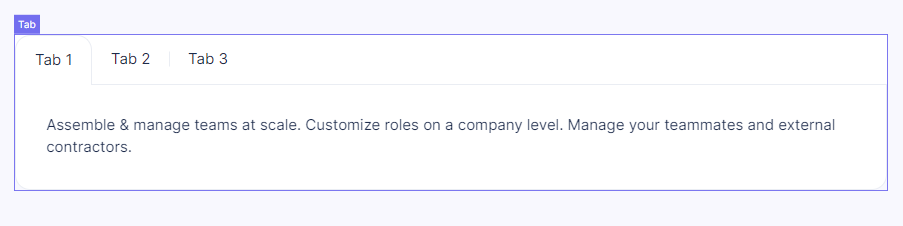
An interactive element that is a separate container with unique content. The user can open tabs to see what's inside.

<figure><img src="https://3560131808-files.gitbook.io/~/files/v0/b/gitbook-x-prod.appspot.com/o/spaces%2FoKhlOpFC8JmF8TcxylWx%2Fuploads%2FsgbeWwoCeHJoBnuNLjRm%2FScreenshot_3.png?alt=media&#x26;token=7bd7af22-5312-4e11-961e-4d97ece1476a" alt=""><figcaption></figcaption></figure>

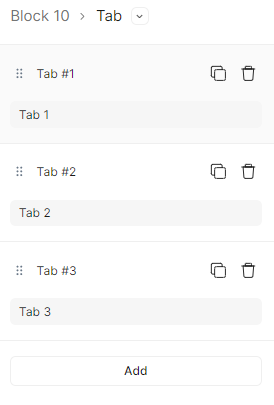
#### Double-click on an element to view its settings.

<figure><img src="https://3560131808-files.gitbook.io/~/files/v0/b/gitbook-x-prod.appspot.com/o/spaces%2FoKhlOpFC8JmF8TcxylWx%2Fuploads%2F78Xf3Of2Wxbce8yf9V1t%2FScreenshot_4.png?alt=media&#x26;token=2d724b7a-6777-4127-8f2a-646800cc875c" alt=""><figcaption></figcaption></figure>

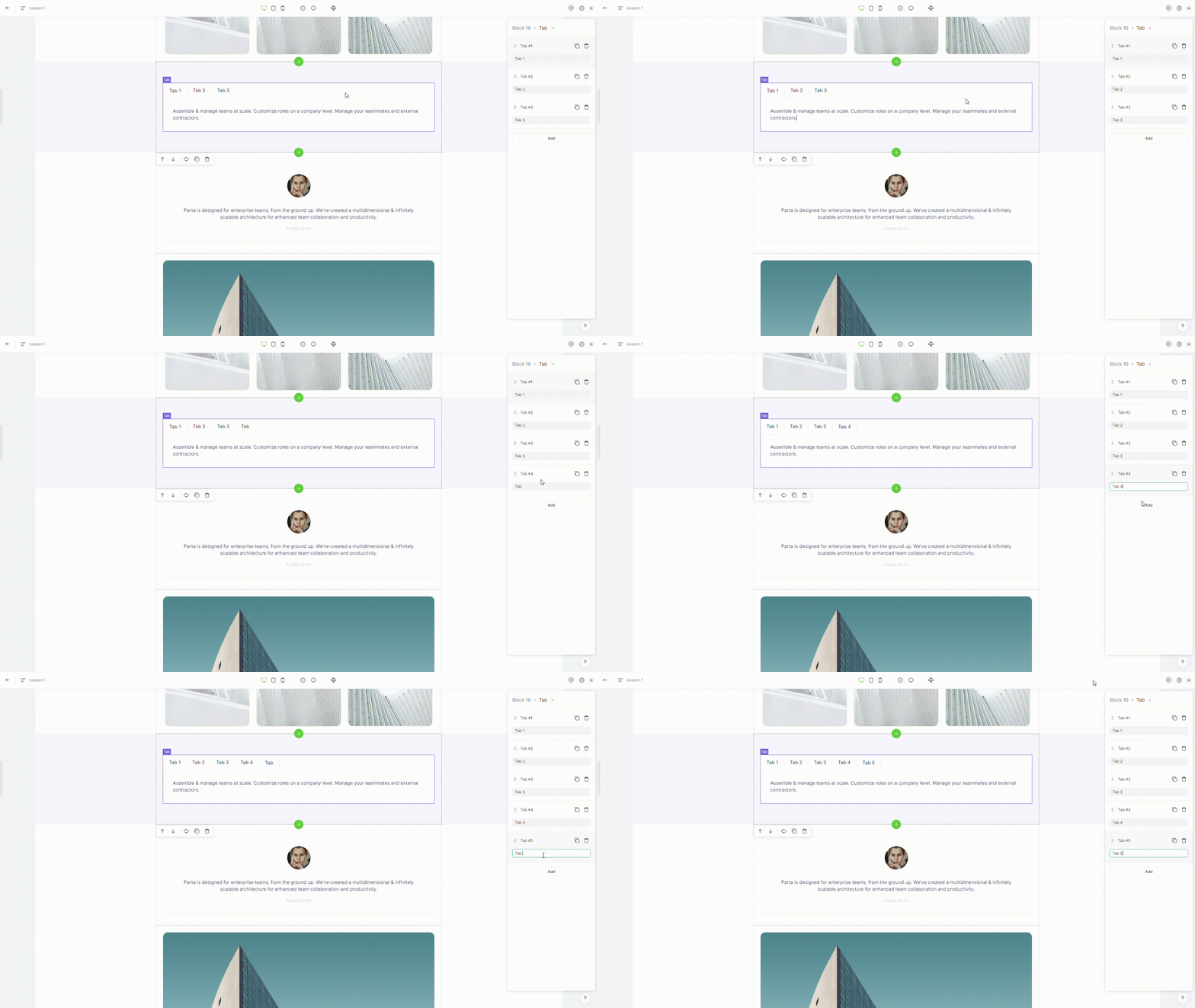
### 1. Add tab item

To add a new tab item, click on "**Add**" button placed in the element settings

<figure><img src="https://3560131808-files.gitbook.io/~/files/v0/b/gitbook-x-prod.appspot.com/o/spaces%2FoKhlOpFC8JmF8TcxylWx%2Fuploads%2FUr3uUFQtTeQylBEJB14H%2FEditor%20-%20Google%20Chrome%202024-03-07%2010-19-13.gif?alt=media&#x26;token=61851406-ebc3-46c8-b463-b70ea3d33ac7" alt=""><figcaption></figcaption></figure>

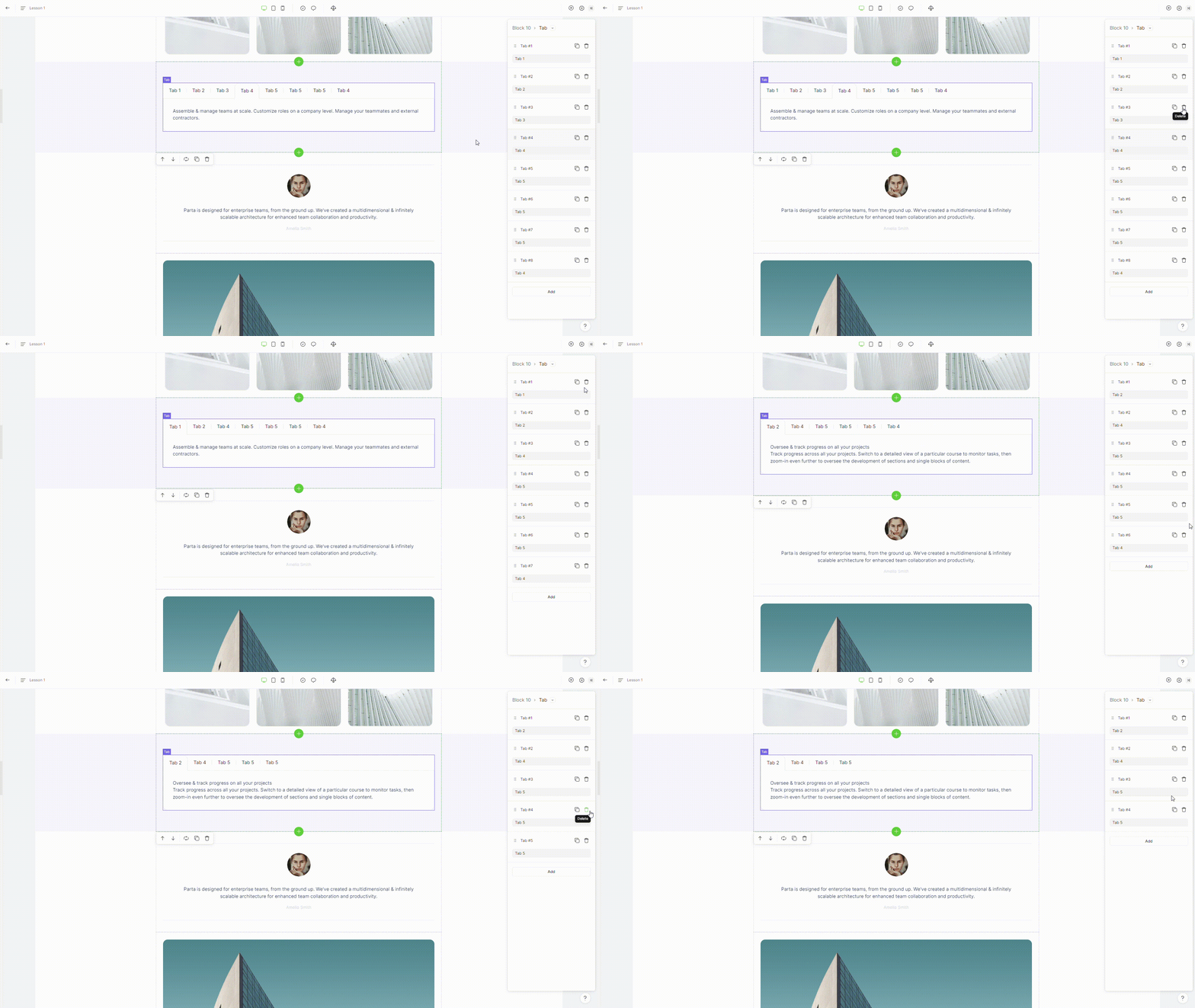
### 2. Delete tab item

To remove a tab item, select the **“delete”** option in the element settings.

<figure><img src="https://3560131808-files.gitbook.io/~/files/v0/b/gitbook-x-prod.appspot.com/o/spaces%2FoKhlOpFC8JmF8TcxylWx%2Fuploads%2FFsxtOrHEpkomLITvXg1C%2FEditor%20-%20Google%20Chrome%202024-03-07%2010-19-37.gif?alt=media&#x26;token=353628ac-4b1b-46b2-bdcf-9d854b70852f" alt=""><figcaption></figcaption></figure>

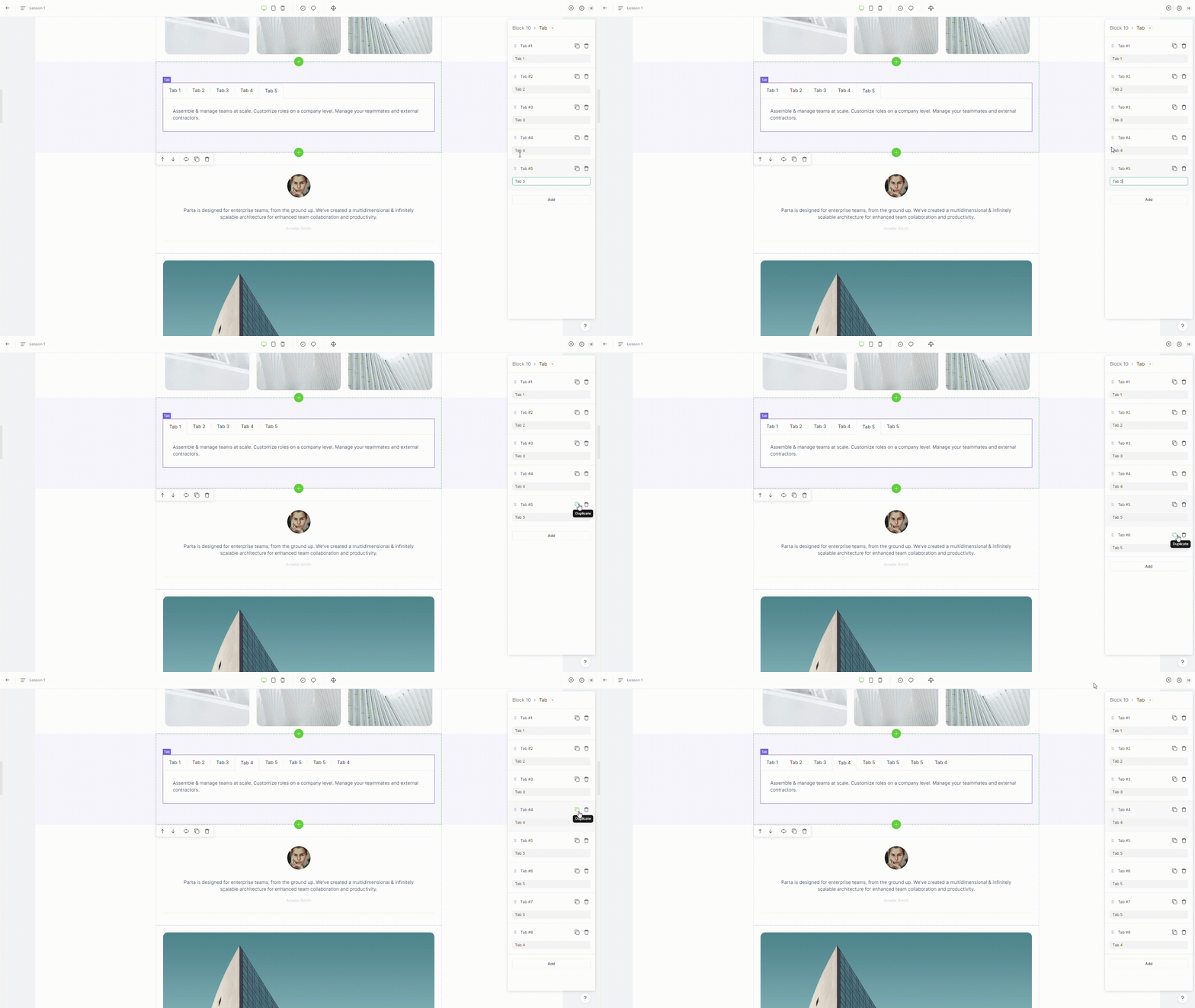
### 3. Duplicate tab item

To duplicate a tab item, select the **"duplicate"** option in the element settings.
<figure><img src="https://3560131808-files.gitbook.io/~/files/v0/b/gitbook-x-prod.appspot.com/o/spaces%2FoKhlOpFC8JmF8TcxylWx%2Fuploads%2Fehz6CCQhCK4zRs6F3aLw%2FEditor%20-%20Google%20Chrome%202024-03-07%2010-19-26.gif?alt=media&#x26;token=c603f808-45bf-4dfd-b9c6-590adff822cb" alt=""><figcaption></figcaption></figure>