# List

An element that consists of a list of items, which can be in order or not, and is usually shown with numbers, dots, or pictures.&#x20;

<figure><img src="https://3560131808-files.gitbook.io/~/files/v0/b/gitbook-x-prod.appspot.com/o/spaces%2FoKhlOpFC8JmF8TcxylWx%2Fuploads%2FpFT7Wo43PkpClei2ocvf%2FScreenshot_1.png?alt=media&#x26;token=a1d9fee0-52d9-4760-a6f8-fa44357314cd" alt=""><figcaption></figcaption></figure>

#### Double-click on an element to view its settings.

### 1. Add list item

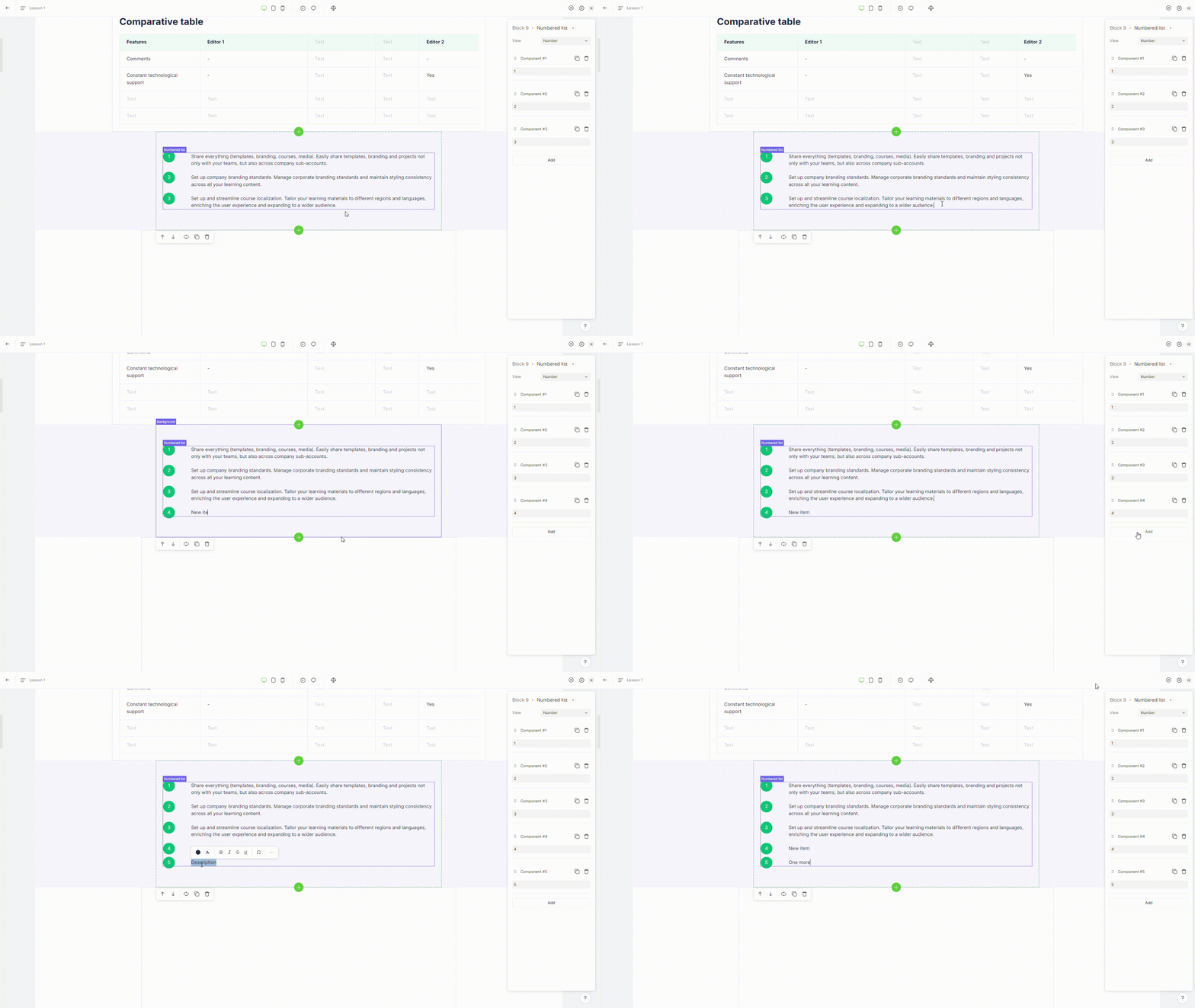
To add a new list item, hit **enter** on a keyborad or click on "**Add**" button placed in the element settings

<figure><img src="https://3560131808-files.gitbook.io/~/files/v0/b/gitbook-x-prod.appspot.com/o/spaces%2FoKhlOpFC8JmF8TcxylWx%2Fuploads%2FJCkXsPupgFaNoLJ3rySF%2FEditor%20-%20Google%20Chrome%202024-03-06%2013-51-30.gif?alt=media&#x26;token=35288b4d-6af7-405e-8cd5-131f25cc9a88" alt=""><figcaption></figcaption></figure>

### 2. Change list view

{% hint style="info" %}
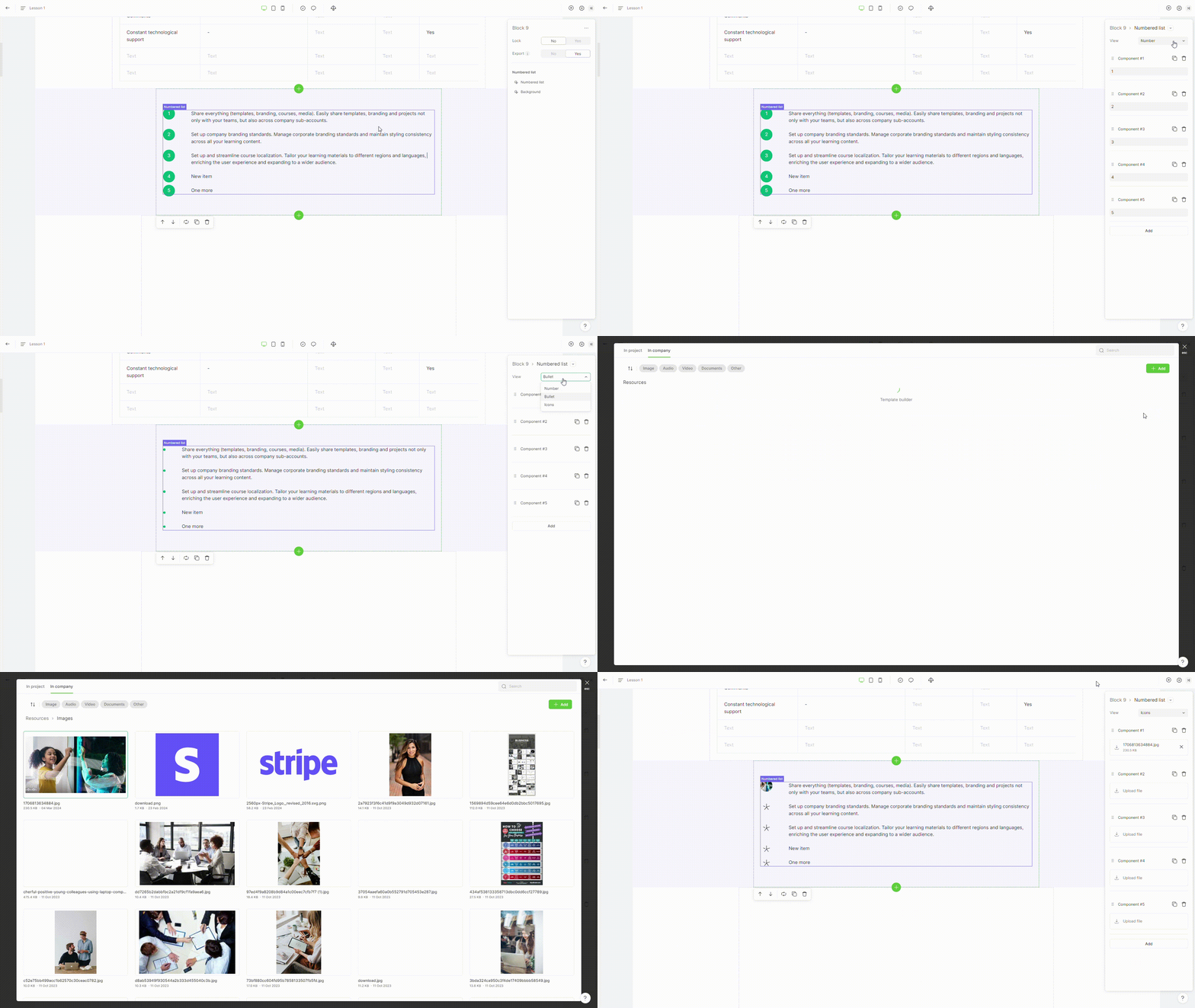
Lists can be formatted in three styles: icons, bullets, and number.
{% endhint %}

To change list view, switch property **view** in the element settings.

<figure><img src="https://3560131808-files.gitbook.io/~/files/v0/b/gitbook-x-prod.appspot.com/o/spaces%2FoKhlOpFC8JmF8TcxylWx%2Fuploads%2Fn8DSCEoARgUYIe9DIo43%2FEditor%20-%20Google%20Chrome%202024-03-06%2015-24-50.gif?alt=media&#x26;token=b74d6761-3442-4901-b66c-58fc380a7f9c" alt=""><figcaption></figcaption></figure>

### 3. Delete list item

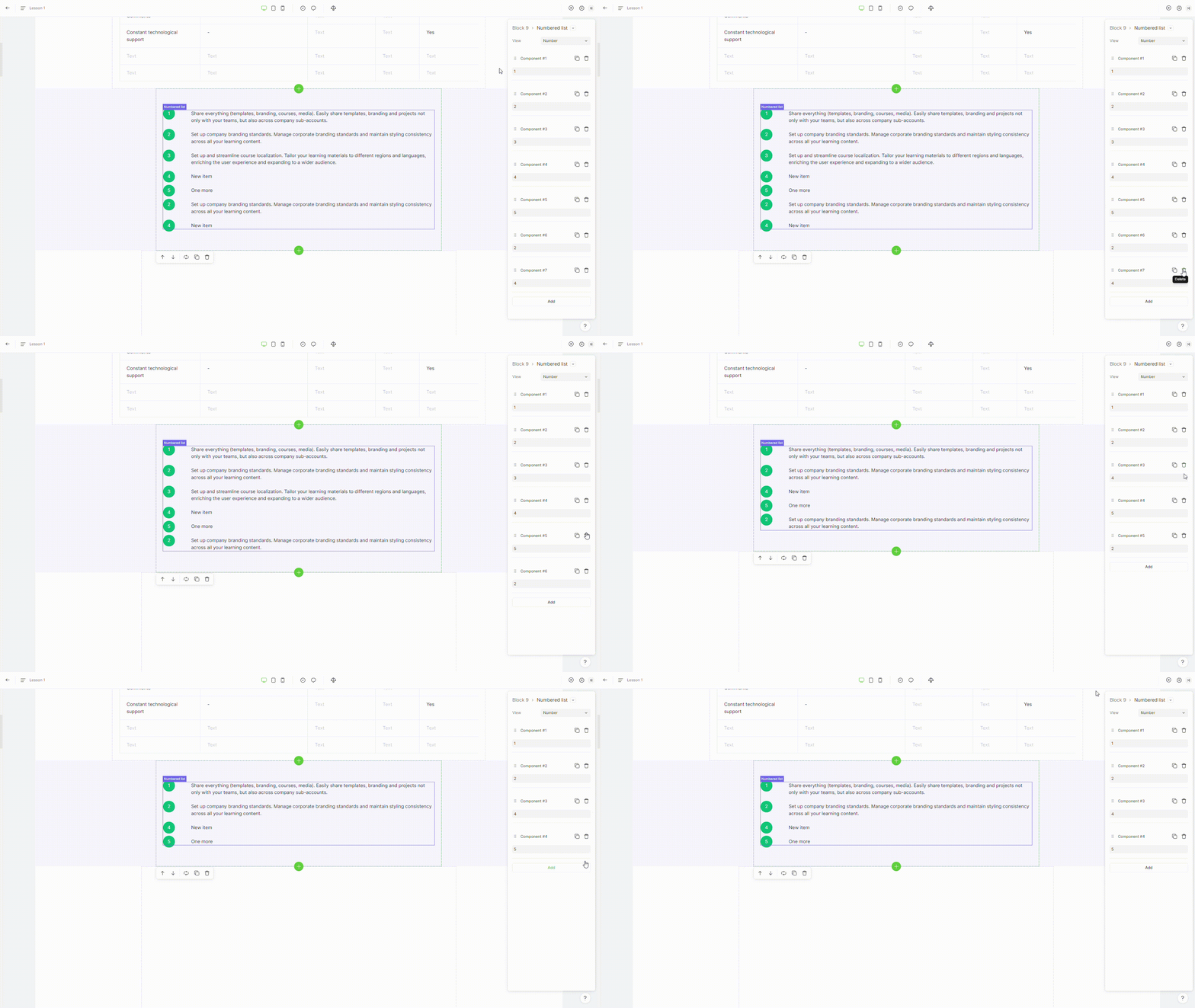
To remove a list item, select the **"delete"** option in the element settings.

<figure><img src="https://3560131808-files.gitbook.io/~/files/v0/b/gitbook-x-prod.appspot.com/o/spaces%2FoKhlOpFC8JmF8TcxylWx%2Fuploads%2F4PQTp6U8sl8WWjJF4Bjm%2FEditor%20-%20Google%20Chrome%202024-03-06%2015-29-28.gif?alt=media&#x26;token=6e278fa7-f68e-486b-8045-2d6360999349" alt=""><figcaption></figcaption></figure>

### 4. Duplicate list item

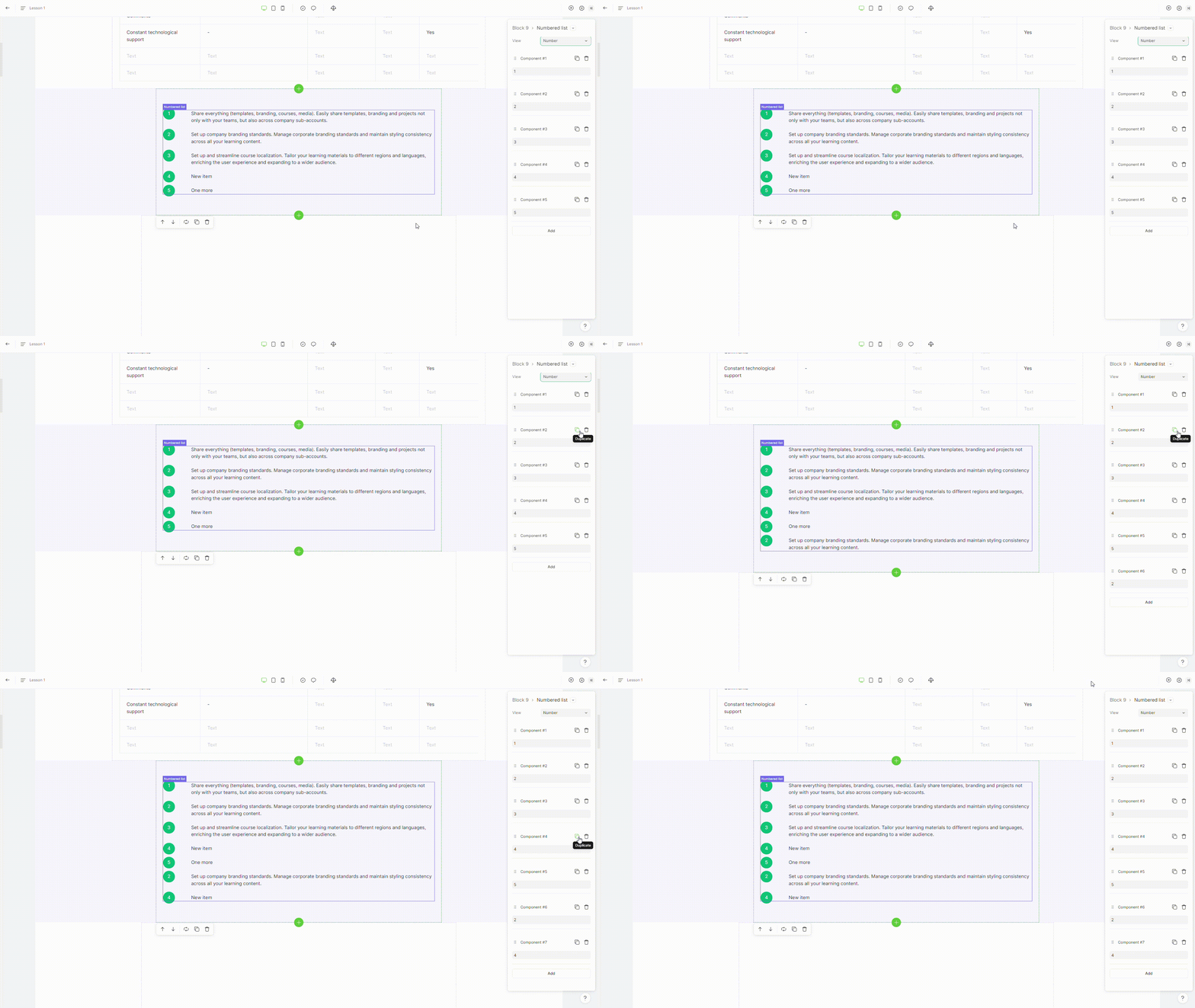
To duplicate a list item, select the **"duplicate"** option in the element settings.

<figure><img src="https://3560131808-files.gitbook.io/~/files/v0/b/gitbook-x-prod.appspot.com/o/spaces%2FoKhlOpFC8JmF8TcxylWx%2Fuploads%2FeIrIEZVf8EV3ROenjGFA%2FEditor%20-%20Google%20Chrome%202024-03-06%2015-29-11.gif?alt=media&#x26;token=f70ef35c-4c6a-46e5-8180-9fd831a04e1a" alt=""><figcaption></figcaption></figure>

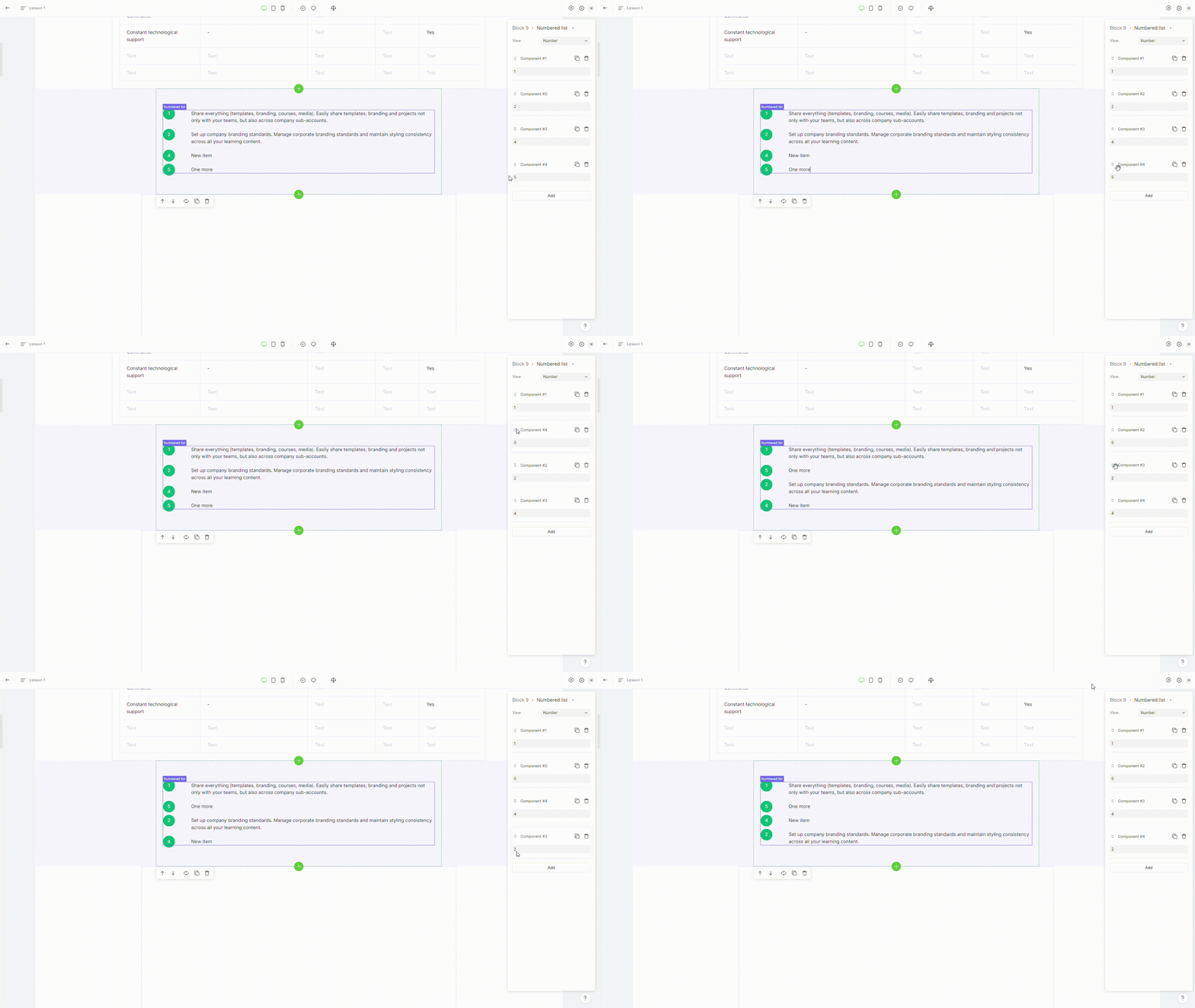
### 5. Move list item

To move a list item, just drag the list item to where you want it to appear.

<figure><img src="https://3560131808-files.gitbook.io/~/files/v0/b/gitbook-x-prod.appspot.com/o/spaces%2FoKhlOpFC8JmF8TcxylWx%2Fuploads%2F09EbisO6ZWsaI1VqQMjW%2FEditor%20-%20Google%20Chrome%202024-03-06%2017-08-08.gif?alt=media&#x26;token=49c63df7-e398-4f9d-857e-99f00c4ae673" alt=""><figcaption></figcaption></figure>