> For the complete documentation index, see [llms.txt](https://help.parta.io/llms.txt). Markdown versions of documentation pages are available by appending `.md` to page URLs; this page is available as [Markdown](https://help.parta.io/export/export-to-lms/debug-a-course-in-lms.md).
# Debug a Course in LMS
Enable debugging option to detect potential errors in the LMS (data isn't being transmitted, the course isn't recording its progress, etc.).
{% stepper %}
{% step %}
[Open a Project](https://help.parta.io/project/set-a-project/manage-a-project) and go to the **Export** tab.
{% endstep %}
{% step %}
Select a [SCORM option](/export/export-to-lms.md).
A new window will appear.
{% endstep %}
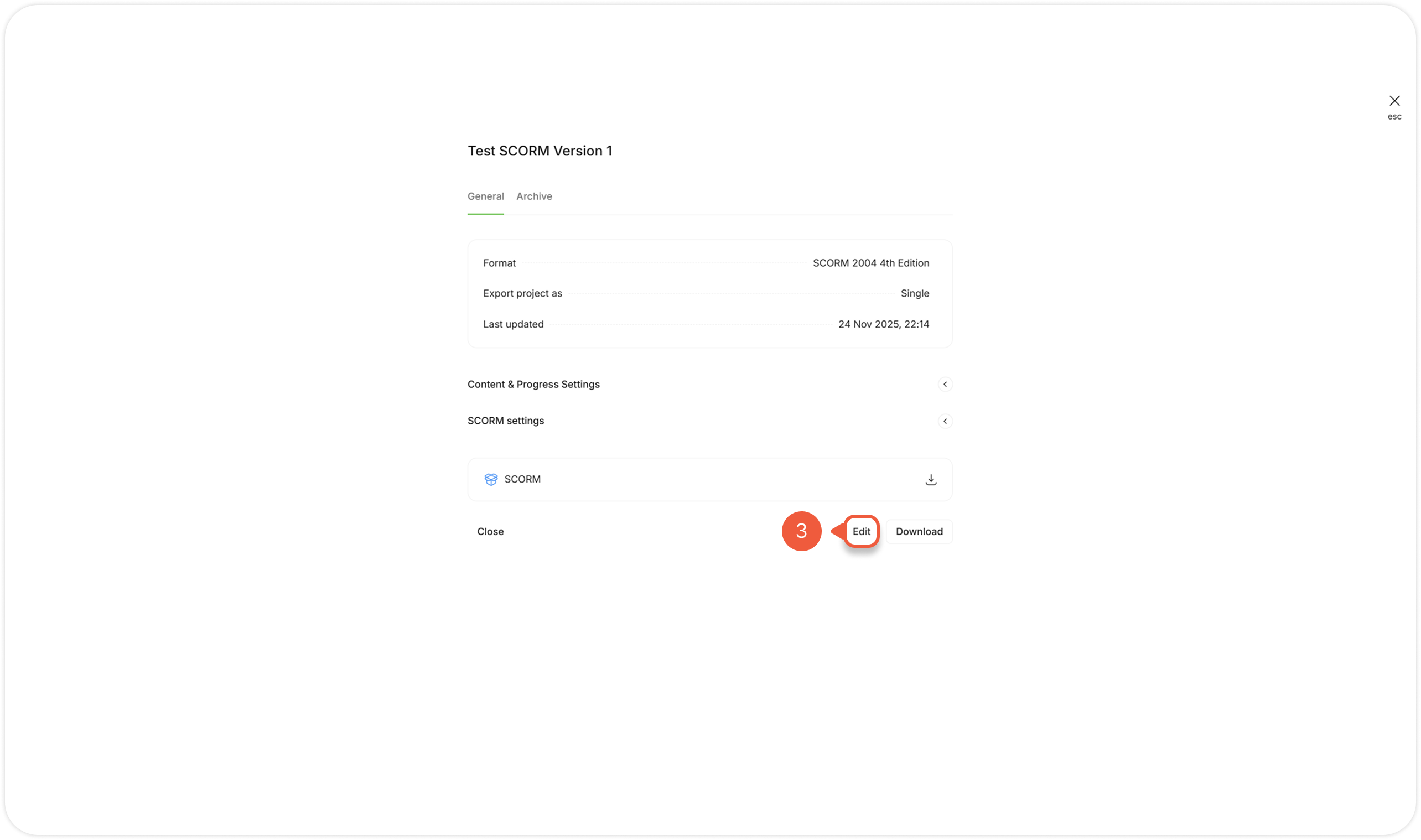
{% step %}
Click the **Edit** button.
A new window will appear.
{% endstep %}
{% step %}
Click **Data and reporting**.
{% endstep %}
{% step %}
Click **Yes** to enable **Debugging** setting.
{% endstep %}
{% step %}
Click the **Export** button.
{% endstep %}
{% step %}
Download the package to LMS and run the course.
A course will have an additional **Gear** icon at the header.
{% endstep %}
{% step %}
If a problem is detected, click on the **Gear** icon.
{% endstep %}
{% step %}
Click the **Save debug data** button.
{% endstep %}
{% step %}
Send the downloaded file to the ****.
{% endstep %}
{% endstepper %}
.png?alt=media&token=16617c89-201b-4c8f-9b12-57d4b1be3105)