> For the complete documentation index, see [llms.txt](https://help.parta.io/llms.txt). Markdown versions of documentation pages are available by appending `.md` to page URLs; this page is available as [Markdown](https://help.parta.io/export/export-to-lms/update-a-course-in-lms.md).
# Update a Course in LMS
## Rewrite a Course in LMS
Rewrite a course in LMS instead of downloading it as a new one.
{% stepper %}
{% step %}
[Open a Project](https://help.parta.io/project/set-a-project/manage-a-project) and go to the **Export** tab.
{% endstep %}
{% step %}
Select a previously exported [SCORM option](/export/export-to-lms.md).
A new window will appear.
{% endstep %}
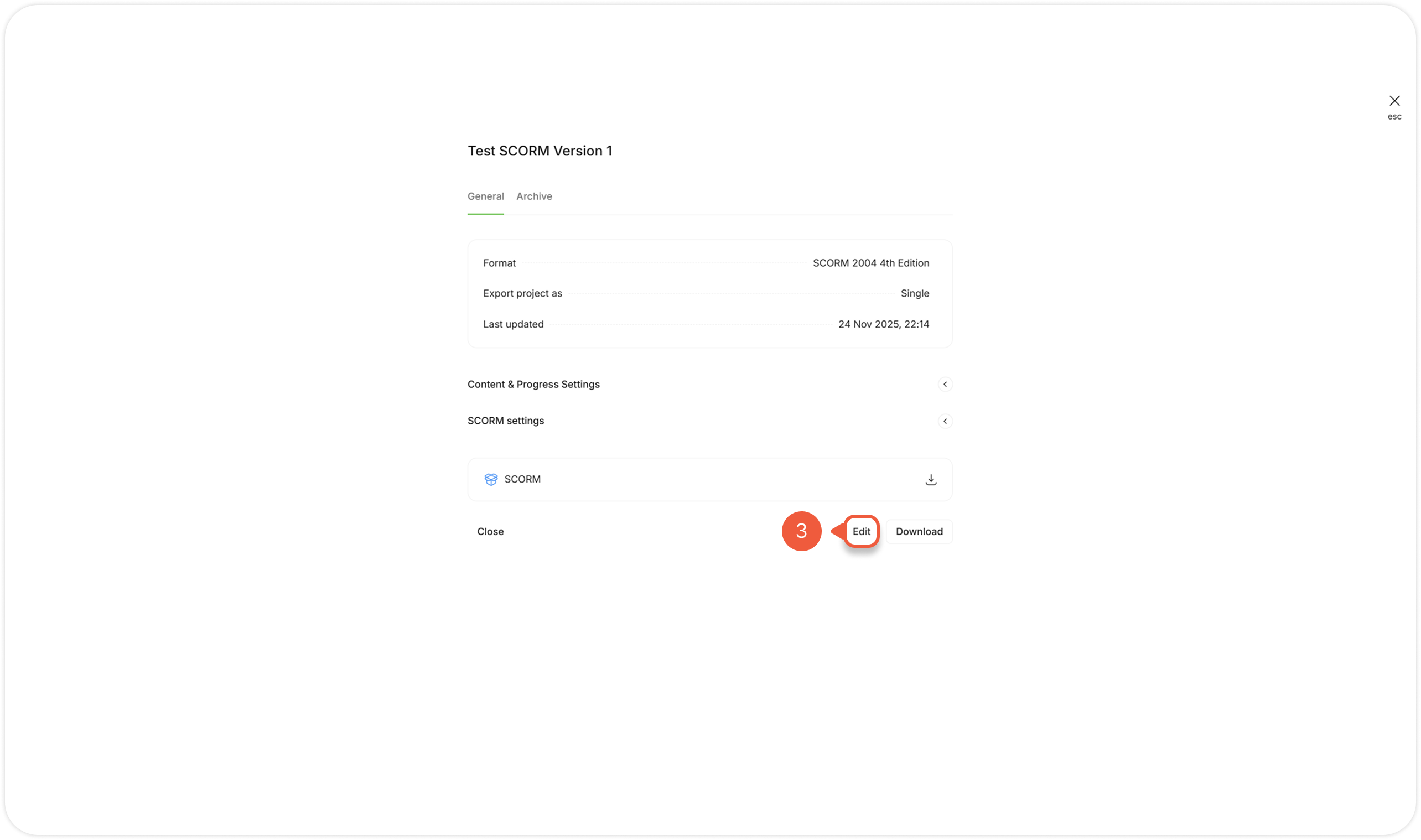
{% step %}
Click the **Edit** button.
A new window will appear.
{% endstep %}
{% step %}
Click **Manifest Identifiers**.
{% endstep %}
{% step %}
Select **Custom** option from the **Manifest ID's** drop-down menu.
{% endstep %}
{% step %}
Specify the custom manifest IDs at the fields:
* Identifier;
* Organization ID;
* Item ID.
{% hint style="info" %}
You can find required manifest IDs at the downloaded SCORM package, **imsmanifest.xml** file.
{% endhint %}
{% endstep %}
{% step %}
Click the **Export** button.
{% endstep %}
{% step %}
Upload the SCORM package to LMS.
{% endstep %}
{% endstepper %}
## Update Course Version
Reset user progress in LMS
{% stepper %}
{% step %}
[Open a Project](https://help.parta.io/project/set-a-project/manage-a-project) and go to the **Export** tab.
{% endstep %}
{% step %}
Select a previously exported [SCORM option](/export/export-to-lms.md).
A new window will appear.
{% endstep %}
{% step %}
Click the **Edit** button.
A new window will appear.
{% endstep %}
{% step %}
Click **Data and reporting**.
{% endstep %}
{% step %}
Click **Yes** to enable **Update course version** setting.
{% endstep %}
{% step %}
Reload LMS to update the course settings.
{% endstep %}
{% endstepper %}
.png?alt=media&token=423ebddf-b250-4e45-b6e6-544454f6111f)

.png?alt=media&token=c8fee0f5-efdd-4b2d-9474-386157d77cb3)
.png?alt=media&token=6a4d8621-0418-480a-86c1-8dd61e41d1f8)