> For the complete documentation index, see [llms.txt](https://help.parta.io/llms.txt). Markdown versions of documentation pages are available by appending `.md` to page URLs; this page is available as [Markdown](https://help.parta.io/no-code-editor/edit-units/add-a-unit.md).
# Add a Unit
## What is a Unit?
A Pro mode unit is an item to operate within a block. There’s 2 unit types:
* A **layout** is a structural basis of how all the parts of the block will be positioned relative to each other to look harmonious;
* An **element** is a building unit of a block that contains different types of content (e.g. image, video, text, etc.).
## Add a Unit
{% stepper %}
{% step %}
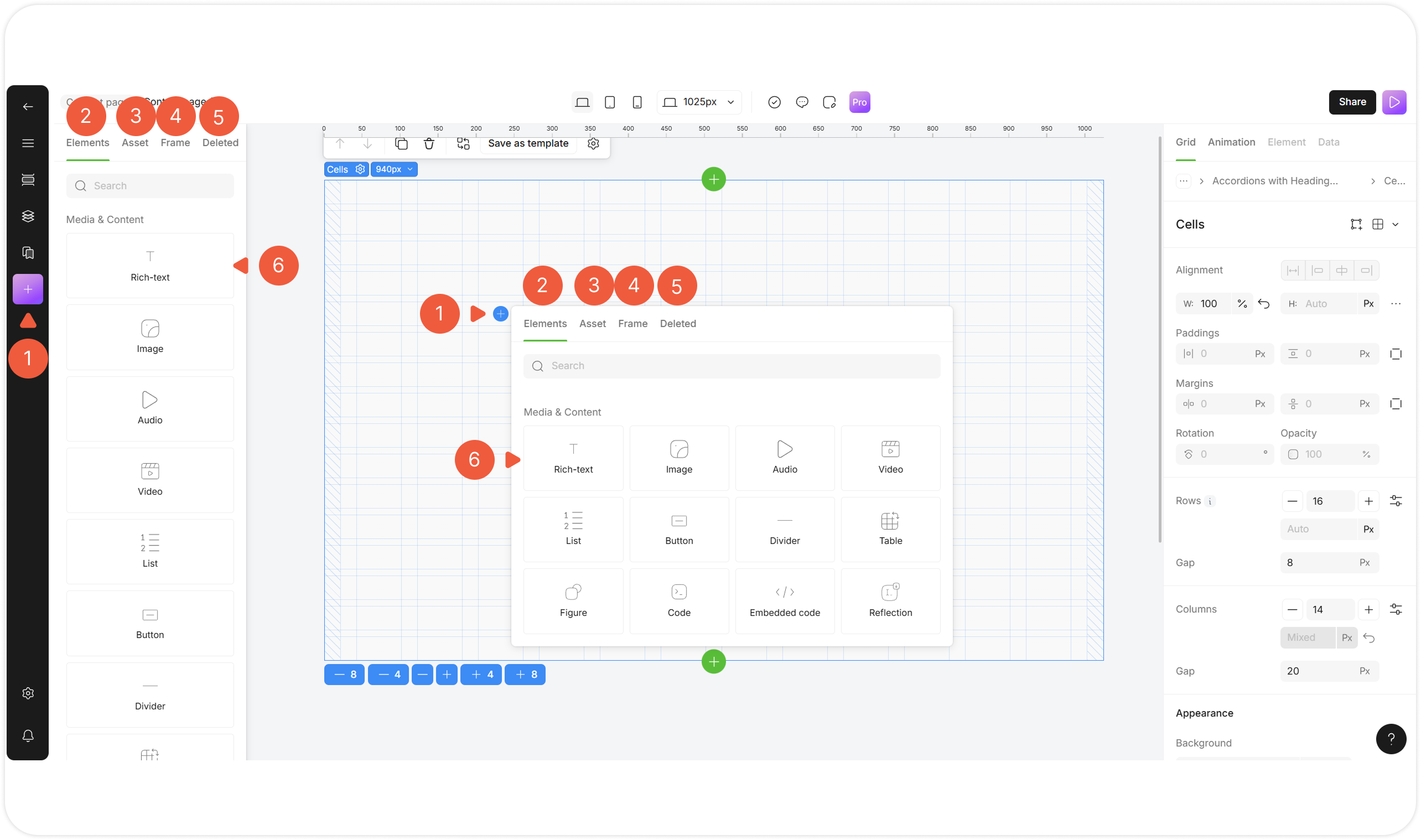
Click the **+** icon at the left menu or at the selected layout.
A pop-up window will appear.
{% endstep %}
{% step %}
Select an **Elements** tab to add an element from the default collection list.
{% endstep %}
{% step %}
Select an **Frame** tab to add a layout from the default collection list.
{% endstep %}
{% step %}
Select an **Asset** tab to add a previously saved unit.
{% endstep %}
{% step %}
Select a **Stash** tab to add a recently deleted unit.
{% endstep %}
{% step %}
For the left menu selection window, click and hold the unit, then **drag** it onto the layout.
For the layout selection window, **click on** the unit to add it to the layout.
{% endstep %}
{% endstepper %}
## Add a Repeatable Units List
Duplicate units with custom settings at once.
{% hint style="success" %}
Use for:
* Product lists;
* News cards;
* Galleries;
* Any dynamic data.
{% endhint %}
{% stepper %}
{% step %}
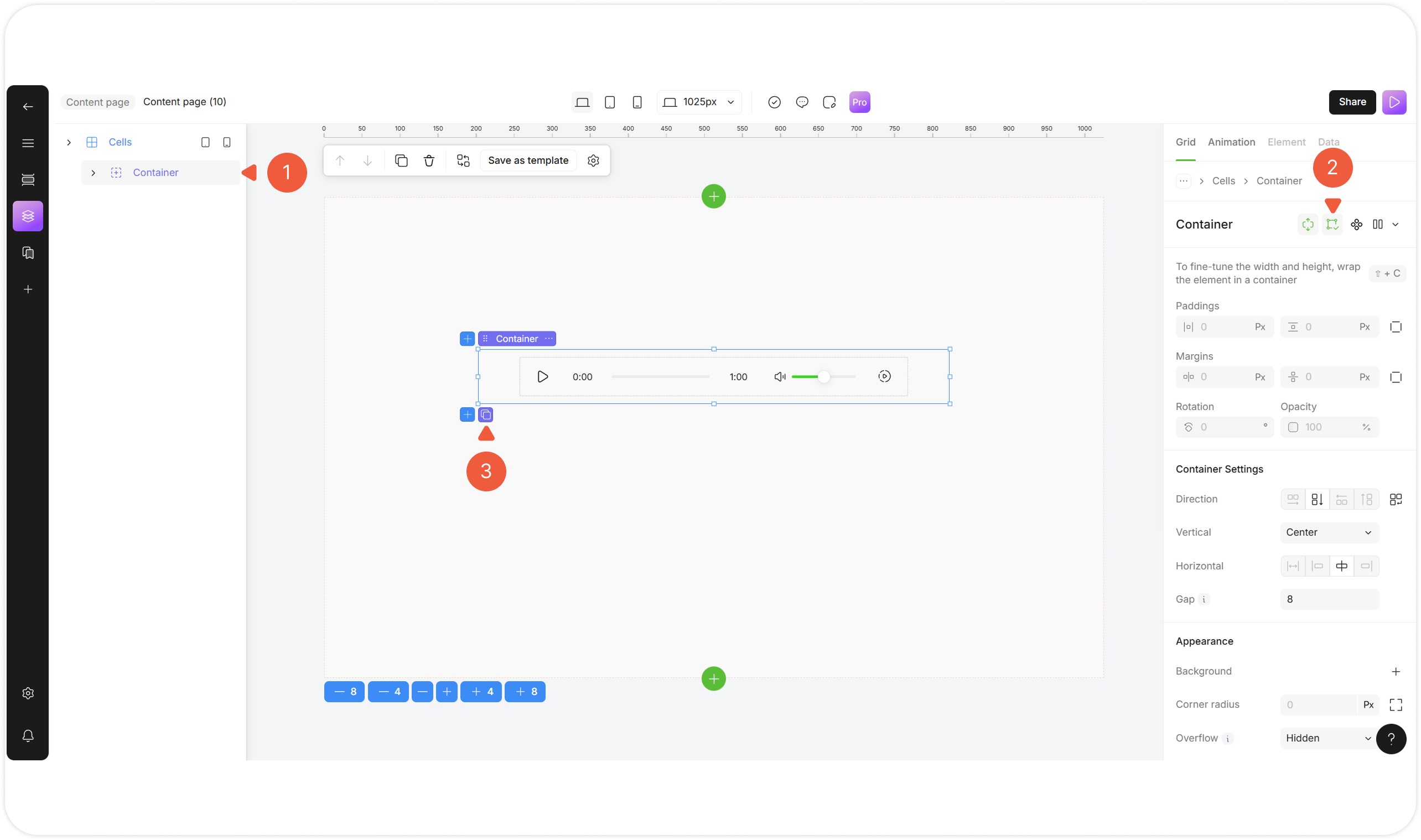
Select a Cells / Container layout and fill it with units.
{% endstep %}
{% step %}
Click the **Make repeatable** icon.
An **Add repeatable** icon will appear.
{% endstep %}
{% step %}
Click the **Add repeatable** icon to duplicate the first unit within the layout.
The unit will be duplicated within the layout with the same settings as the original unit.
{% endstep %}
{% endstepper %}