> For the complete documentation index, see [llms.txt](https://help.parta.io/llms.txt). Markdown versions of documentation pages are available by appending `.md` to page URLs; this page is available as [Markdown](https://help.parta.io/project/set-sections/set-a-contents-page/create-a-content-page.md).
# Create a Content Page
## **What is a Content Page?**
A **Content page** represents the educational material added using various blocks (text, images, audio, video, etc.).
## **Create a Content Page**
{% hint style="warning" %}
A **Content page** can consist of any blocks **except for the cover, start and results blocks**.
{% endhint %}
{% stepper %}
{% step %}
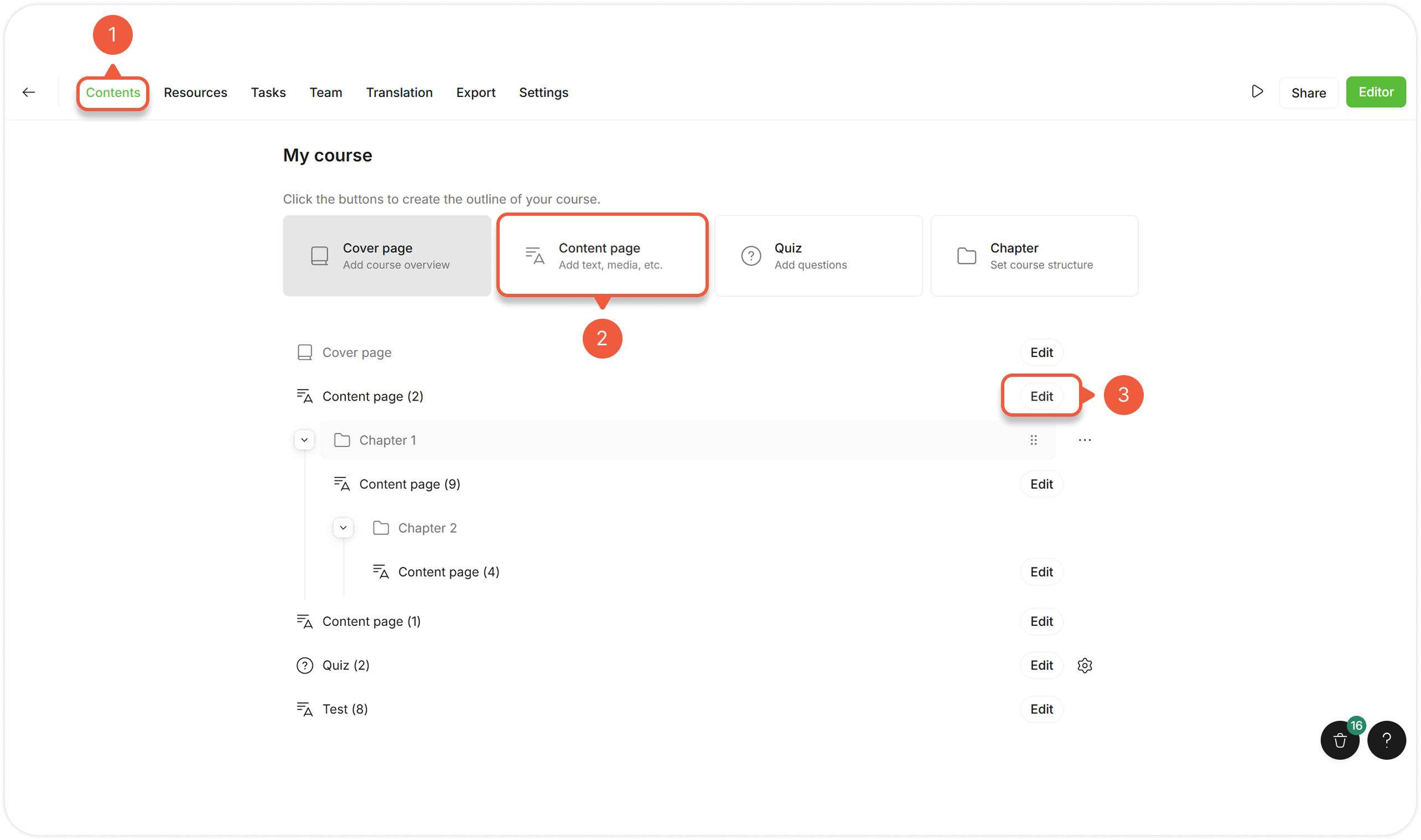
[Open a Project](/project/set-projects/manage-a-project.md) and go to the **Contents** tab.
{% endstep %}
{% step %}
Click the **Content page** button to add a section.
{% endstep %}
{% step %}
Click the **Edit** button next to the Content page section.
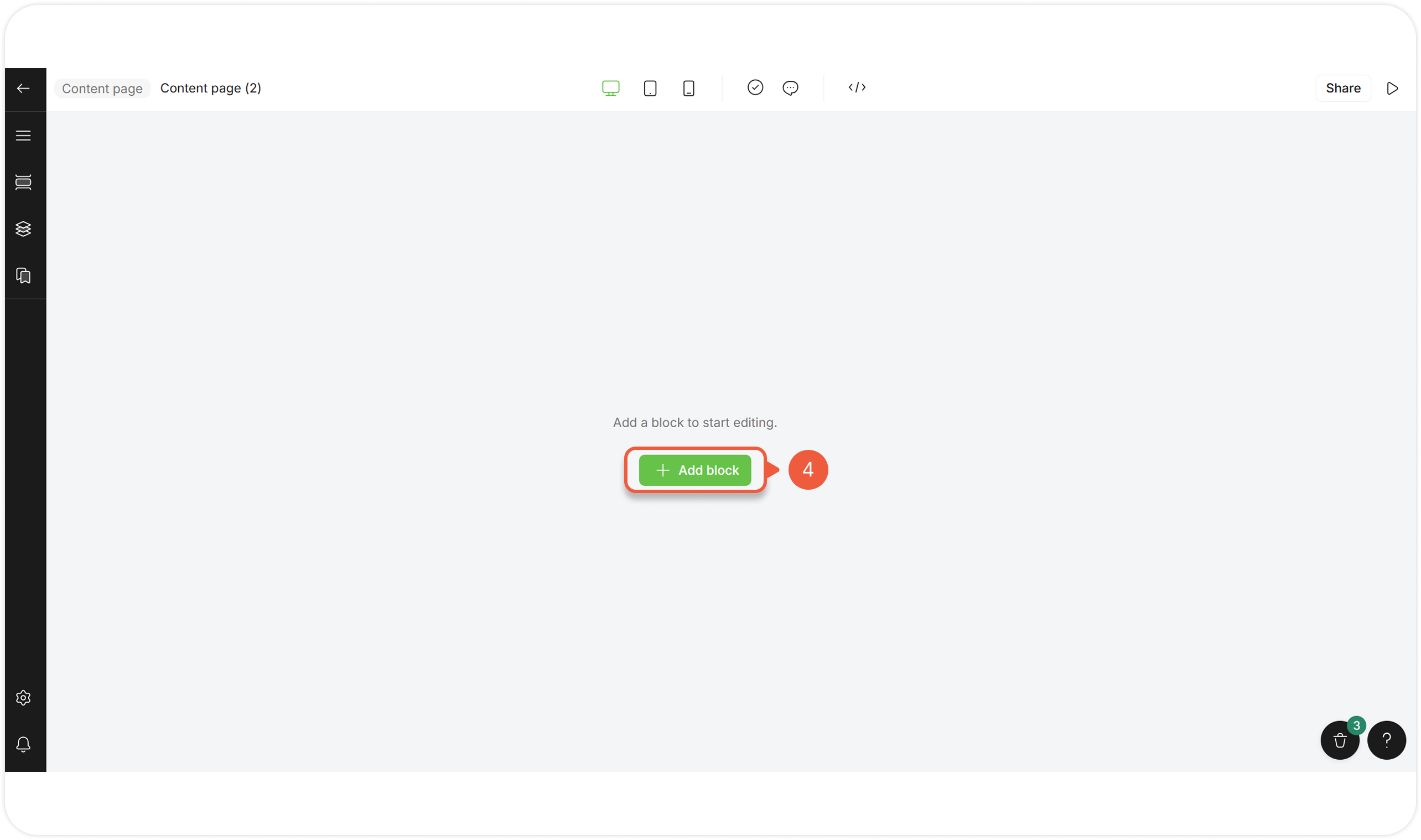
A Content page editor page will appear.
{% endstep %}
{% step %}
Click **+ Add block.**
A pop-up window will appear.
{% hint style="success" %}
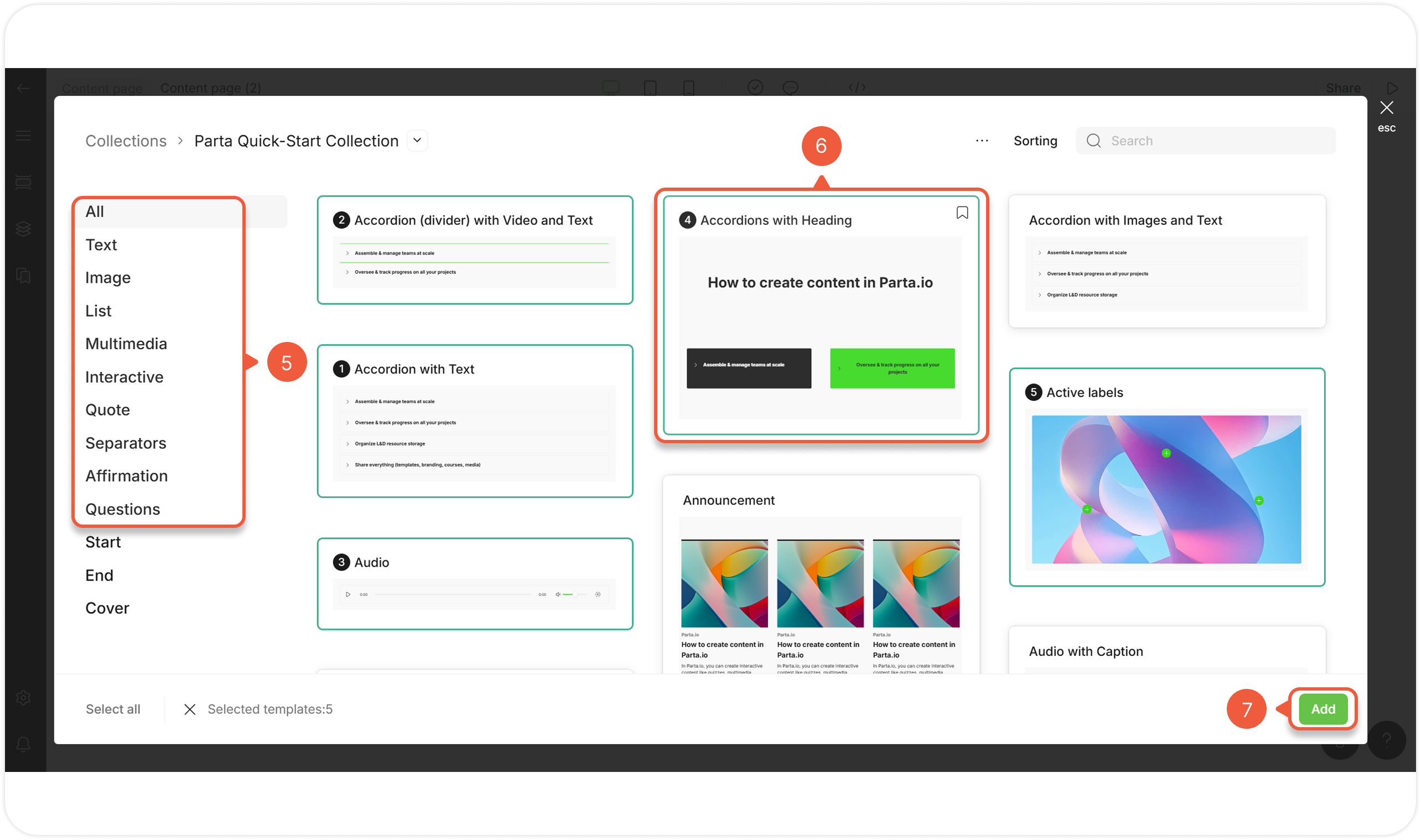
When creating a new Content page from scratch, the **Parta Quick-Start template collection** appears. You can also use other templates from the available [template collections](/editor/edit-blocks/manage-templates.md).
{% endhint %}
{% endstep %}
{% step %}
Go to the **All** / logically grouped Content page tab.
{% endstep %}
{% step %}
Select one or more default Content page templates.
{% endstep %}
{% step %}
Click the **Add** button.
The selected template will appear in the editor as blocks to modify.
{% endstep %}
{% endstepper %}