> For the complete documentation index, see [llms.txt](https://help.parta.io/llms.txt). Markdown versions of documentation pages are available by appending `.md` to page URLs; this page is available as [Markdown](https://help.parta.io/project/set-sections/set-a-cover/create-a-cover.md).
# Create a Cover
## **What is a Cover?**
A **Cover** provides an overview of the course. A Cover shows the course start screen, representing its structure and content.
## **Create a Cover**
{% hint style="warning" %}
A Cover consists of **1 Cover type block**.
{% endhint %}
{% stepper %}
{% step %}
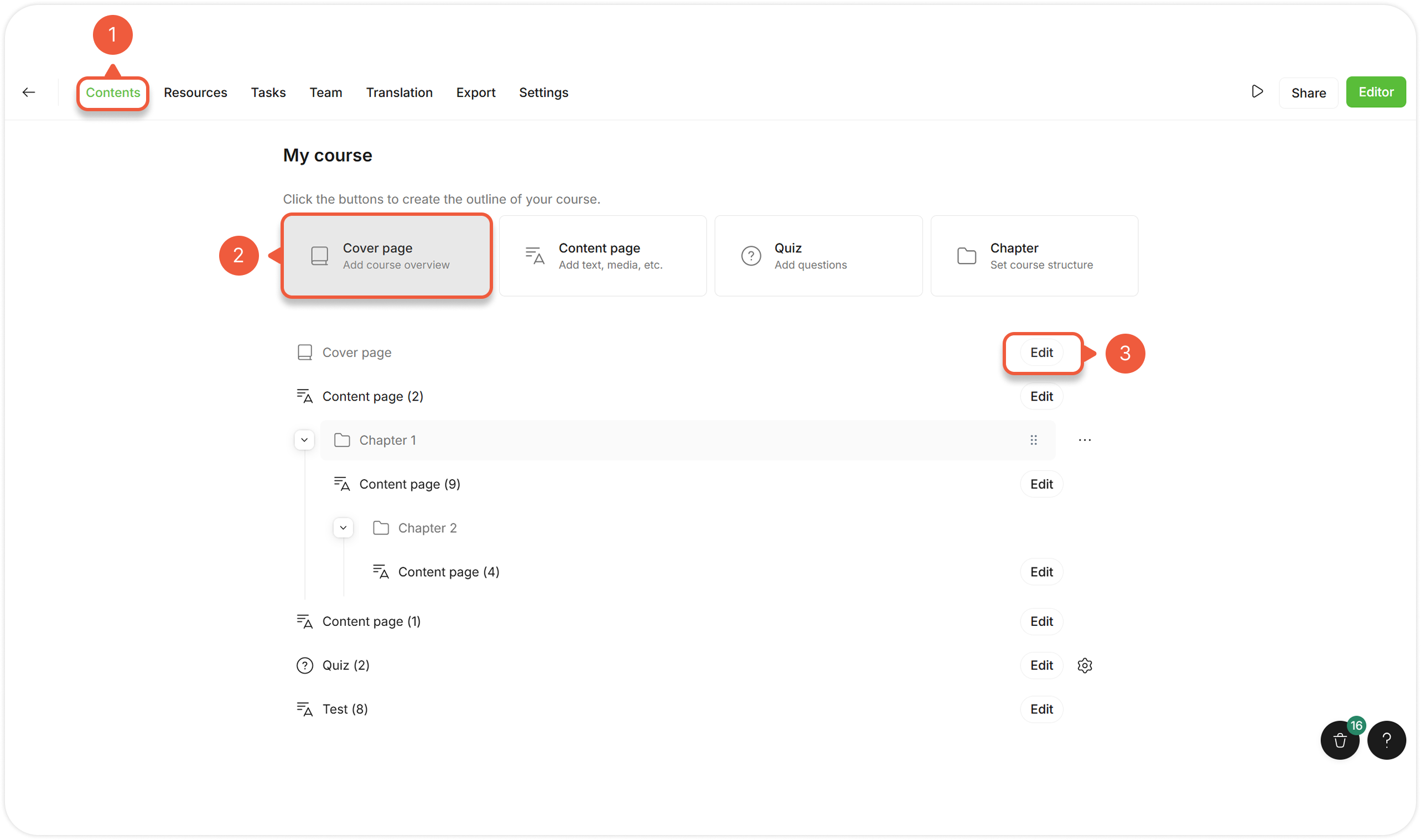
[Open a Project](/project/set-projects/manage-a-project.md) and go to the **Contents** tab.
{% endstep %}
{% step %}
Click the **Cover** button to add a section.
{% hint style="success" %}
A Cover always appears at the top of the Project.
{% endhint %}
{% endstep %}
{% step %}
Click the **Edit** button next to the Cover section.
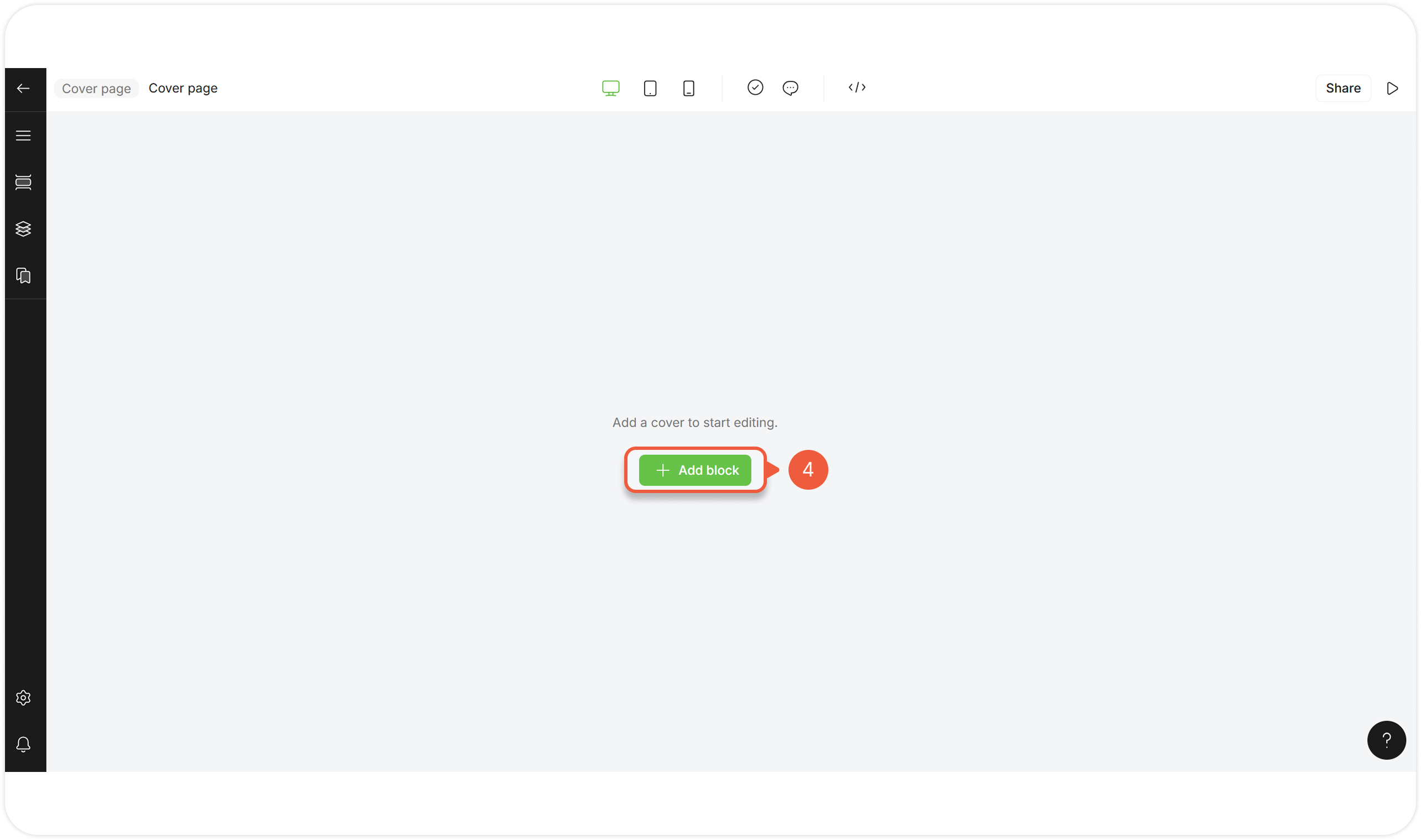
A Cover editor page will appear.
{% endstep %}
{% step %}
Click **+ Add block**.
A pop-up window will appear.

{% hint style="success" %}
When creating a new Cover from scratch, the **Parta Quick-Start template collection** appears. You can also use other templates from the available [template collections](/editor/edit-blocks/manage-templates.md).
{% endhint %}
{% endstep %}
{% step %}
Go to the **All** / **Cover** tab.
{% endstep %}
{% step %}
Select a default Cover template.
{% endstep %}
{% step %}
Click the **Add** button.
{% hint style="warning" %}
You can add only 1 Cover block.
{% endhint %}
The selected template will appear in the editor as a block to modify.
{% endstep %}
{% endstepper %}