> For the complete documentation index, see [llms.txt](https://help.parta.io/llms.txt). Markdown versions of documentation pages are available by appending `.md` to page URLs; this page is available as [Markdown](https://help.parta.io/project/set-sections/set-a-quiz/create-a-quiz.md).
# Create a Quiz
## **What is a Quiz?**
A **Quiz** is a test to measure the knowledge gained from learning educational material.
## **Create a Quiz**
{% hint style="warning" %}
A **Quiz** consists of 3 parts:
1. an **introductory block** with explanations of the settings (allowed attempts, time limit, number of questions, etc.);
2. **quiz questions** block(s);
3. a **closing block** with results (pass / fail status, percentage score, number of retakes, time spent, correct answers, etc.).
{% endhint %}
{% stepper %}
{% step %}
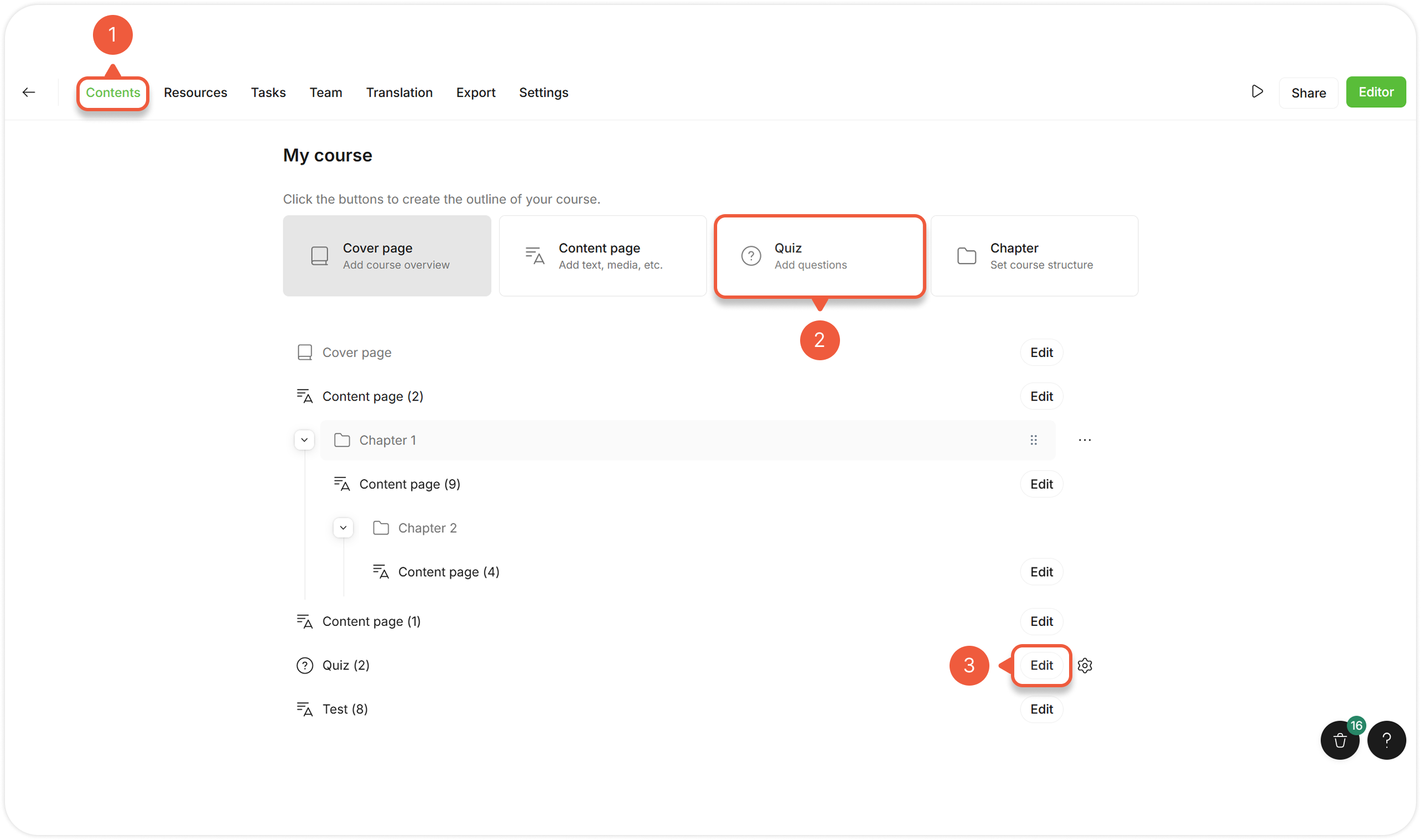
[Open a Project](/project/set-projects/manage-a-project.md) and go to the **Contents** tab.
{% endstep %}
{% step %}
Click the **Quiz** button to add a section.
{% endstep %}
{% step %}
Click the **Edit** button next to the Quiz section.
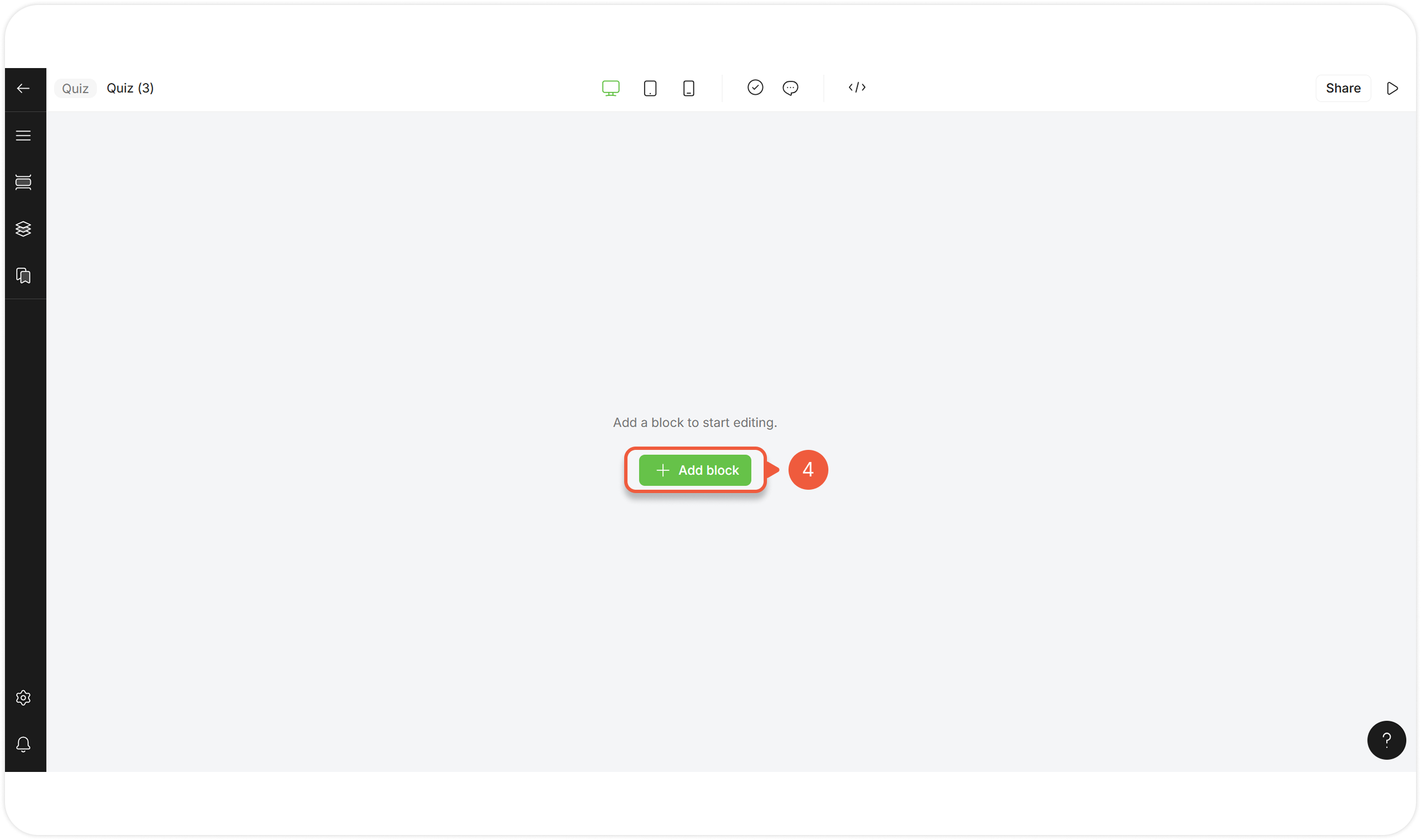
A Quiz editor page will appear.
{% endstep %}
{% step %}
Click **+ Add block**.
A pop-up window will appear.
{% hint style="success" %}
When creating a new Quiz from scratch, the **Parta Quick-Start template collection** appears. You can also use other templates from the available [template collections](/editor/edit-blocks/manage-templates.md).
{% endhint %}
{% endstep %}
{% step %}
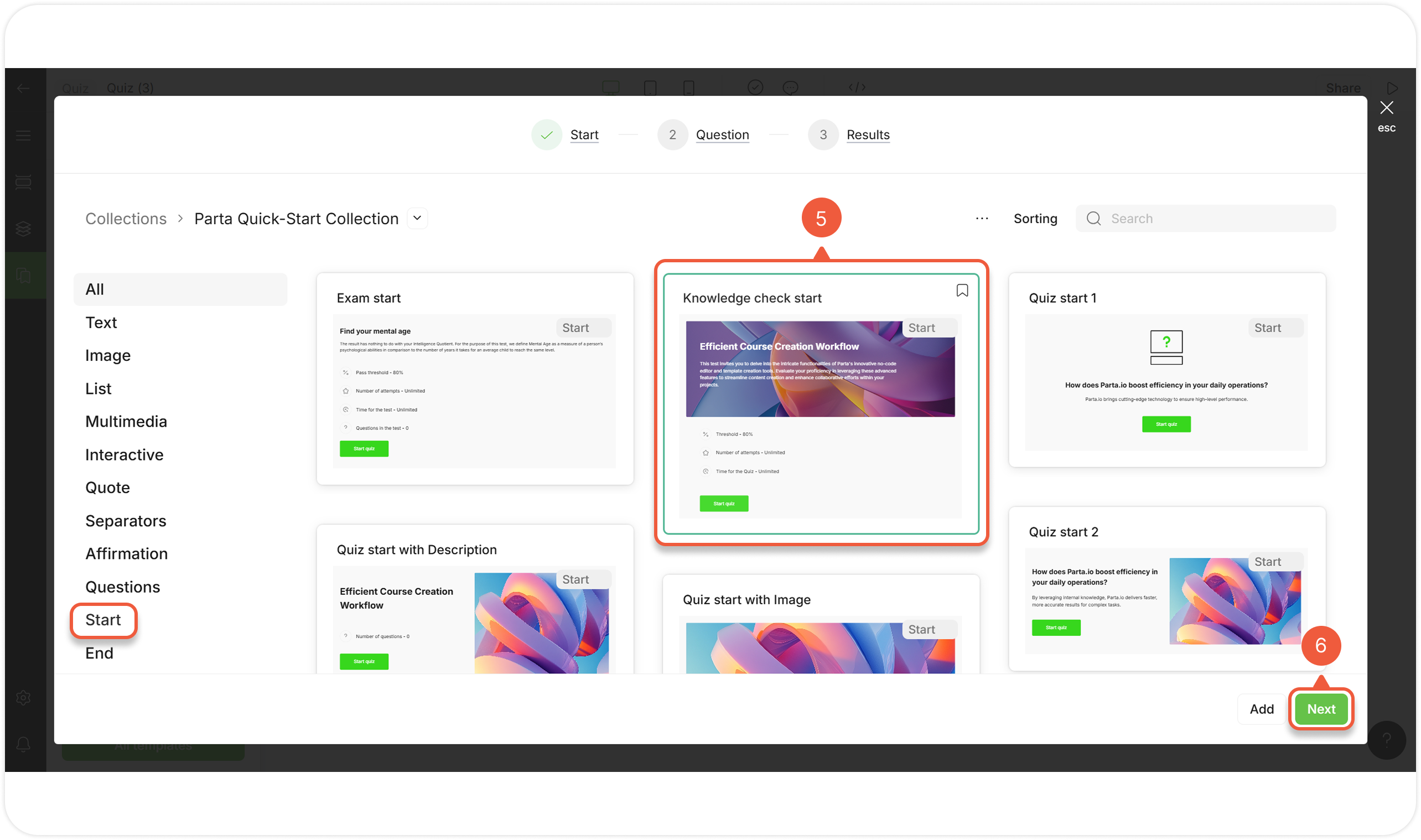
Select a **Quiz introduction** template from the **All / Start** tab.
{% hint style="warning" %}
! You can add only **1** **Quiz start block.**
{% endhint %}
{% endstep %}
{% step %}
Click the **Next** button.
A new window will appear.
{% endstep %}
{% step %}
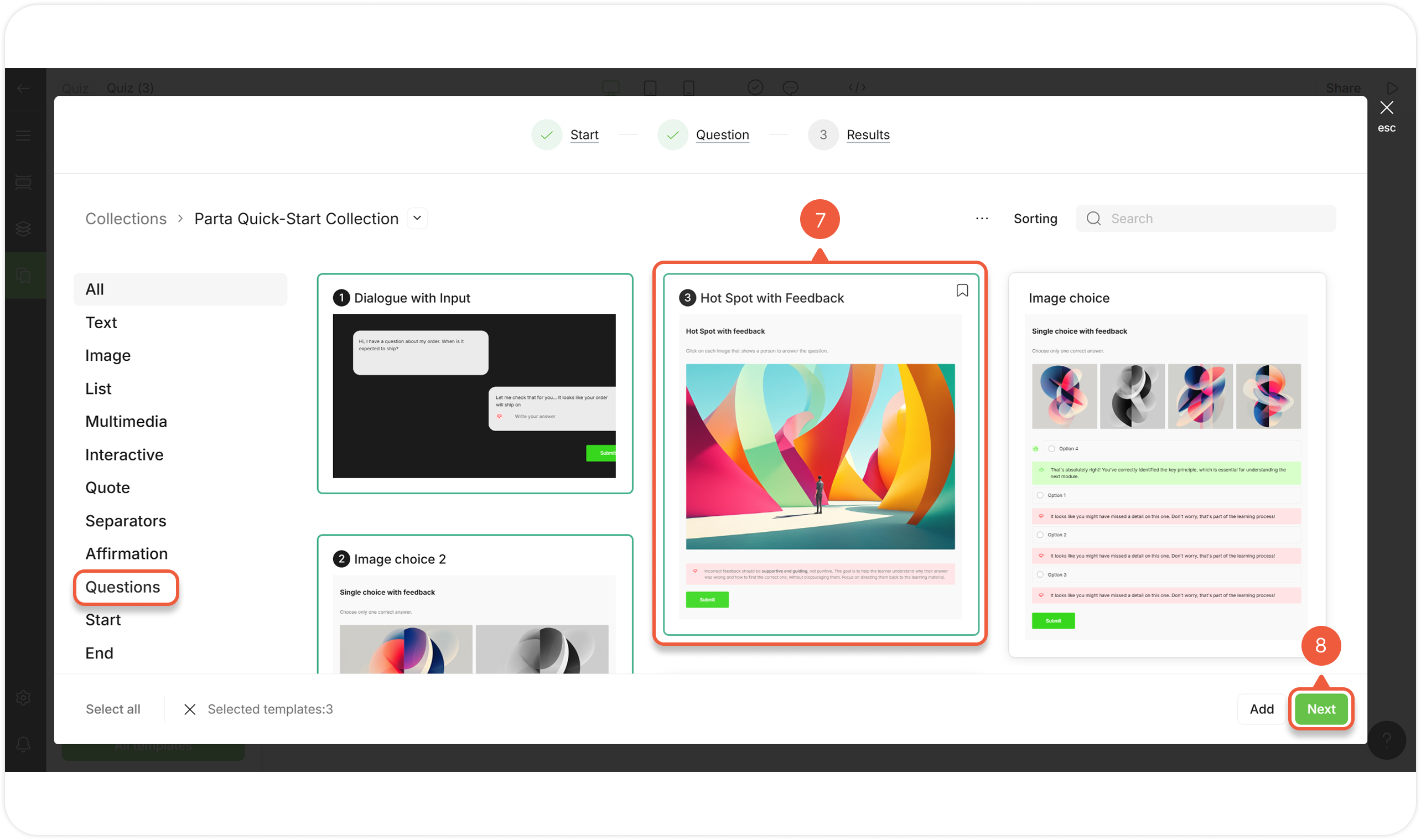
Select one or more **Quiz question** templates.
{% endstep %}
{% step %}
Click the **Next** button.
A new window will appear.
{% endstep %}
{% step %}
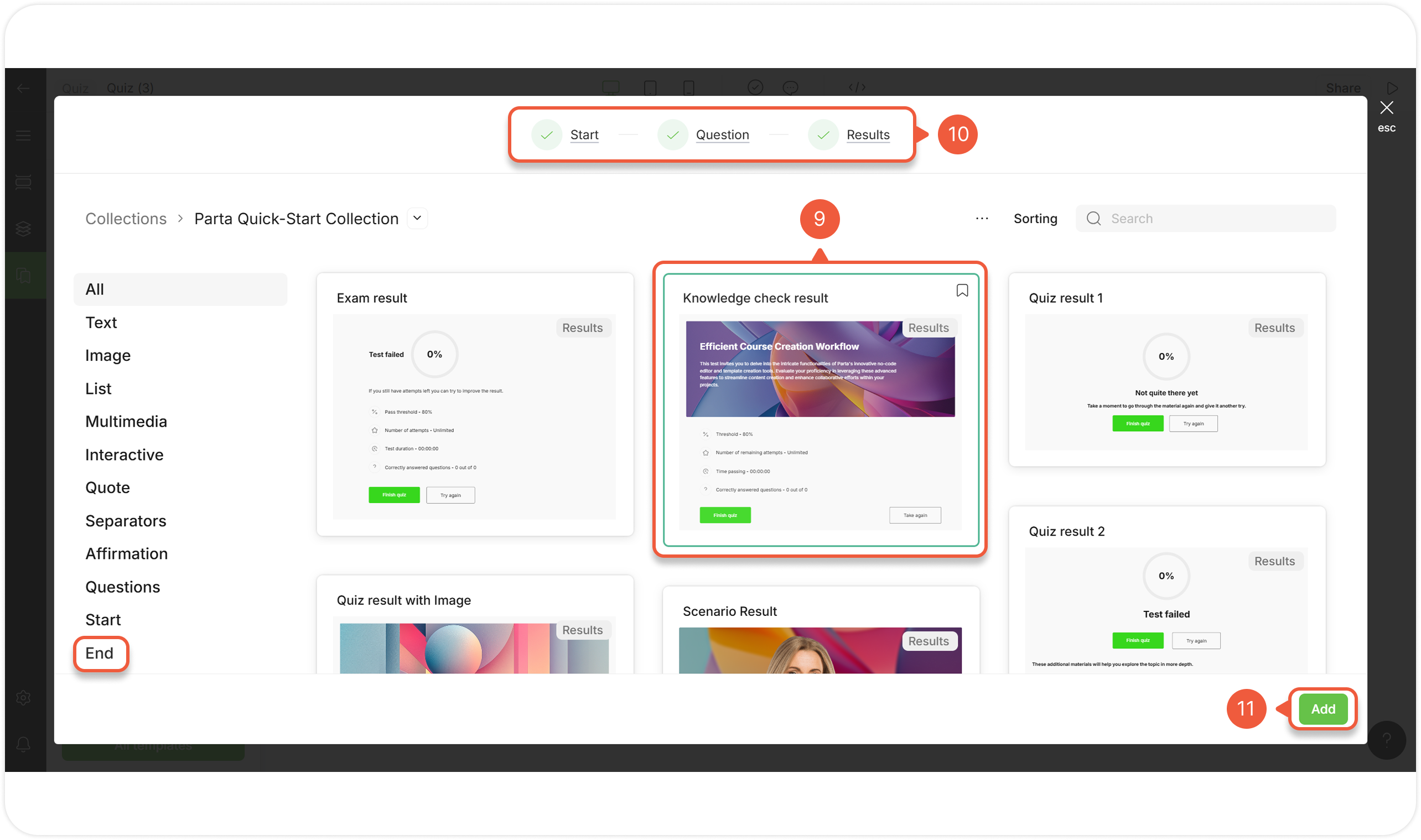
Select a **Quiz results** template from **All / End** tab.
{% hint style="warning" %}
You can add only **1 Quiz results block.**
{% endhint %}
{% endstep %}
{% step %}
Switch between **Quiz progress bar** tabs to replace or add more templates.
{% endstep %}
{% step %}
Click the **Add** button.
The selected templates will appear in the editor as blocks to modify.
{% endstep %}
{% endstepper %}